
Fraction Division Demonstration by Alberto Ugarte
Loading the math board and drawing, please wait…
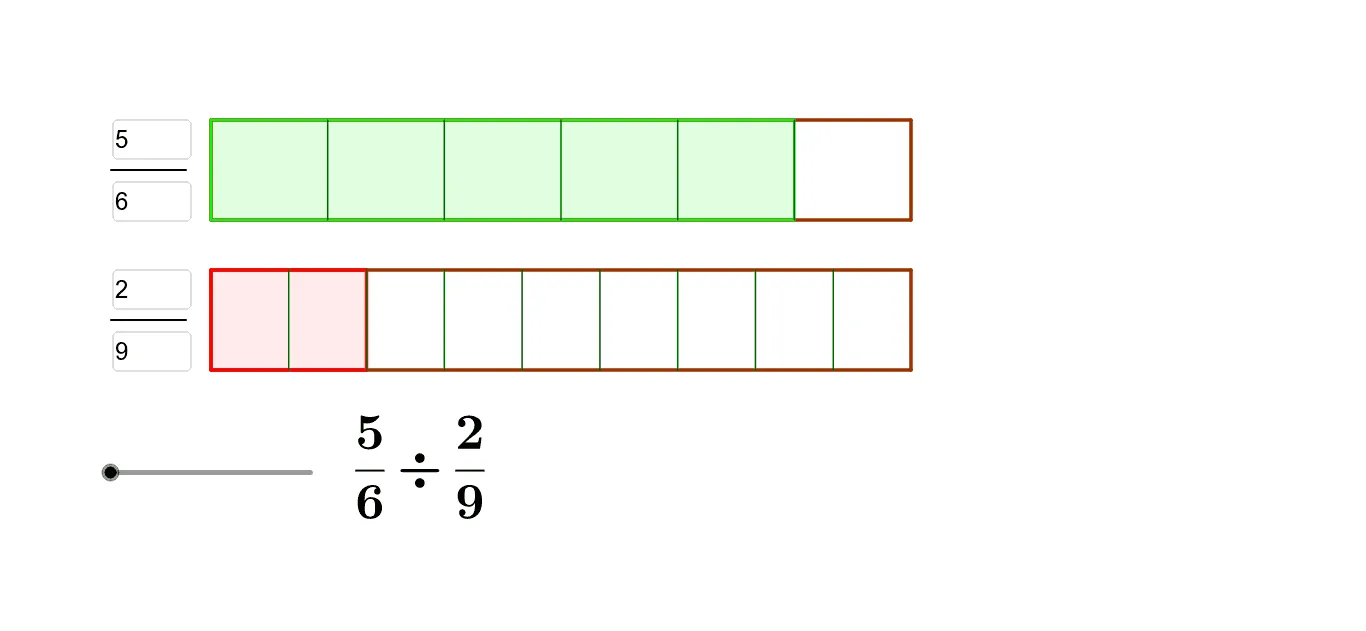
This example demonstrates the geometric meaning and calculation process of fraction division. It involves core mathematical concepts such as fraction operations, least common multiple (LCM), and geometric figure construction. GeoGebra commands and objects like LCM, DivPoint, Polygon, Segment, Textfield, and Sequence are used in the construction. Suitable for middle school and above learners to understand fraction division and geometric intuition.
GeoGebra Commands & Parameters
LCM(b, d) → oDivPoint(B, C, o) → list8DivPoint(A, D, o) → list7Polygon(E, F, G, H) → poly2, e, f_2, g, hSegment(I, J) → iSegment(K, L) → jTextfield(a) → InputBox1Textfield(b) → InputBox2Textfield(c) → InputBox3Textfield(d) → InputBox4Polygon(A, D, C, B) → poly1, a_1, d_1, c_1, b_1DivPoint(A, D, b) → list1DivPoint(B, C, b) → list2DivPoint(E, F, d) → list3DivPoint(H, G, d) → list4Sequence(Segment[Element[list1, i], Element[list2, i]], i, 1, b) → list5Sequence(Segment[Element[list3, i], Element[list4, i]], i, 1, d) → list6Polygon(A, Element[list1, a], Element[list2, a], B) → poly3, a_2, k, l, b_2Polygon(E, Element[list3, c], Element[list4, c], H) → poly4, e_1, m, n, h_1DivPoint(E, F, o) → list9DivPoint(H, G, o) → list10Sequence(Segment[Element[list7, i], Element[list8, i]], i, 1, o) → list11Sequence(Segment[Element[list9, i], Element[list10, i]], i, 1, o) → list12Polygon(A, Element[list7, t], Element[list8, t], B) → poly5, q, r, f_1, g_1Sequence(Polygon[Element[list7, (t * i)], Element[list7, (t * (i + 1))], Element[list8, (t * (i + 1))], Element[list8, (t * i)]], i, 1, p - 1) → list13
AI Drawing Prompt Reference
Draw a geometric demonstration of fraction division. Start with two rectangles, each representing a fraction, divided into equal parts according to their denominators, with some parts shaded. Then draw a larger rectangle whose side lengths are based on the least common multiple of the two denominators, and divide it into that many equal parts to show the common denominator. Highlight the parts corresponding to the numerators with different colors or shading, and connect division points with line segments to clearly show the correspondence between numerators and denominators during division. Add four input boxes to adjust the numerators and denominators of the two fractions, and the figure updates dynamically.
The prompt above was compiled from the original drawing commands and is for reference only.