
Fraction Blotting Task: Understanding Relative Proportions
Loading the math board and drawing, please wait…
In collections
Zahlenstrahl und Ordnen von Brüchen
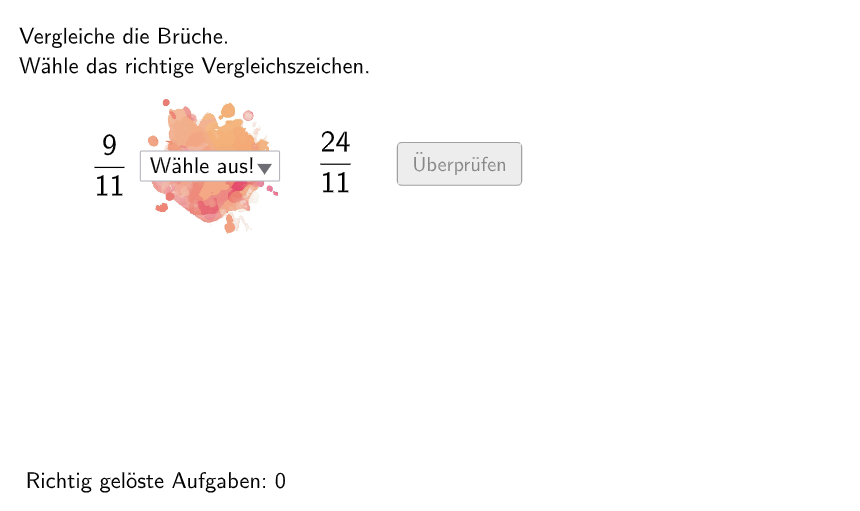
This is an interactive fraction learning tool based on the German educational method 'Klecksaufgabe' (blotting task), presenting randomly generated fraction problems to help students understand fractions as relative proportions and frequencies. Key mathematical concepts include: numerator-denominator relationships, fraction comparison, and fraction-decimal conversion. Construction details: Uses Shuffle and Element commands to randomly select numerators and denominators, If and SelectedIndex for answer validation, Textfield for input boxes, Polygon and Corner for interface decoration, interactive buttons including btnValidate, btnTryAgain, and btnNew, with attemptCount and correctCount tracking progress. Designed for grade 5-6 students to consolidate fraction concepts, also suitable for teachers as classroom demonstration material.
GeoGebra Commands & Parameters
Shuffle(Sequence[Random[1, 2], i, 1, 100]) → randomNosForGanzeZahl, {1, 2, 2, 1, 1, 2, 1, 2, 1, 1, 1, 2, 2, 2, 2, 2, 1, 2, 2, 2, 1, 1, 2, 2, 1, 2, 1, 1, 1, 2, 1, 2, 2, 1, 2, 2, 1, 2, 1, 1, 1, 1, 1, 1, 2, 1, 2, 2, 1, 2, 1, 1, 1, 2, 2, 2, 2, 2, 2, 1, 1, 1, 1, 1, 1, 1, 1, 1, 2, 1, 2, 1, 1, 2, 2, 1, 1, 1, 1, 2, 2, 1, 1, 2, 2, 2, 2, 1, 2, 2, 1, 2, 2, 2, 1, 1, 1, 1, 2, 2}Element(randomNosForGanzeZahl, Mod[questionCount, 100] + 1) → NennerZaehlerShuffle(Sequence[Random[2, 13], i, 1, 100]) → randomNosForNenner1, {13, 11, 6, 9, 12, 4, 9, 7, 10, 3, 8, 6, 10, 5, 3, 4, 13, 3, 2, 8, 7, 5, 6, 12, 7, 4, 9, 7, 5, 11, 13, 3, 12, 9, 13, 13, 2, 9, 11, 3, 6, 9, 2, 11, 6, 12, 4, 3, 4, 11, 3, 12, 13, 3, 8, 2, 11, 3, 9, 9, 4, 8, 6, 11, 10, 10, 4, 4, 6, 5, 11, 9, 9, 7, 10, 4, 4, 11, 6, 12, 11, 8, 6, 12, 7, 7, 9, 9, 11, 13, 9, 8, 8, 11, 13, 12, 7, 12, 5, 10}Element(randomNosForNenner1, Mod[questionCount, 100] + 1) → nenner1Shuffle(Sequence[Random[2, 13], i, 1, 100]) → randomNosForNenner2, {10, 13, 2, 12, 4, 10, 5, 3, 3, 9, 6, 5, 7, 9, 2, 8, 11, 13, 3, 6, 13, 7, 5, 4, 8, 4, 8, 9, 10, 8, 2, 11, 9, 7, 11, 9, 13, 6, 10, 8, 5, 5, 13, 6, 12, 10, 7, 7, 6, 8, 6, 2, 10, 10, 11, 7, 7, 3, 6, 2, 3, 11, 4, 4, 13, 6, 12, 13, 4, 9, 9, 11, 8, 9, 13, 12, 9, 7, 6, 7, 11, 11, 3, 11, 5, 12, 2, 13, 10, 11, 2, 9, 11, 12, 4, 4, 5, 2, 10, 9}Element(randomNosForNenner2, Mod[questionCount, 100] + 1) → nenner2If(NennerZaehler ≟ 1, nenner2, nenner1) → selectedNenner2Element(randomNosForZaehler1, Mod[questionCount, 100] + 1) → zaehler1Element(randomNosForZaehler2, Mod[questionCount, 100] + 1) → zaehler2If(NennerZaehler ≟ 1, zaehler1, zaehler2) → selectedZaehler2SelectedIndex(zeichen) → indexElement(randomNosForLay, Mod[questionCount, 100] + 1) → layIf(dezimal1 < dezimal2 ∧ index ≟ 3 ∨ dezimal1 > dezimal2 ∧ index ≟ 2 ∨ dezimal1 ≟ dezimal2 ∧ index ≟ 4, true, false) → correct1If(1 < dezimal2 ∧ index ≟ 3 ∨ 1 > dezimal2 ∧ index ≟ 2 ∨ 1 ≟ dezimal2 ∧ index ≟ 4, true, false) → correct3If(dezimal1 < 1 ∧ index ≟ 3 ∨ dezimal1 > 1 ∧ index ≟ 2 ∨ dezimal1 ≟ 1 ∧ index ≟ 4, true, false) → correct2Textfield(aInput) → InputBox1Textfield(bInput) → InputBox2If(lay ≟ 1, correct1, If[lay ≟ 2, correct2, If[lay ≟ 3, correct3]]) → correctPolygon(PtopLeftCornerFeedback, PtopRightCornerFeedback, PbottomRightCornerFeedback, PbottomLeftCornerFeedback) → rectangleCorrect, ptopleftcornerfeedback, ptoprightcornerfeedback, pbottomrightcornerfeedback, pbottomleftcornerfeedbackCorner(bruch1, 3) → CornerText1
AI Drawing Prompt Reference
This is an interactive fraction learning tool interface featuring random fraction problems, two input boxes, validation buttons, and a retry button. The interface displays the current fraction problem and provides a feedback rectangle to mark answer correctness. After entering an answer, the tool automatically validates and gives feedback. The design is simple and focused on helping students understand fractions as relative proportions and conversions.
The prompt above was compiled from the original drawing commands and is for reference only.