
Fraction and Attached Text GeoGebra Example
Loading the math board and drawing, please wait…
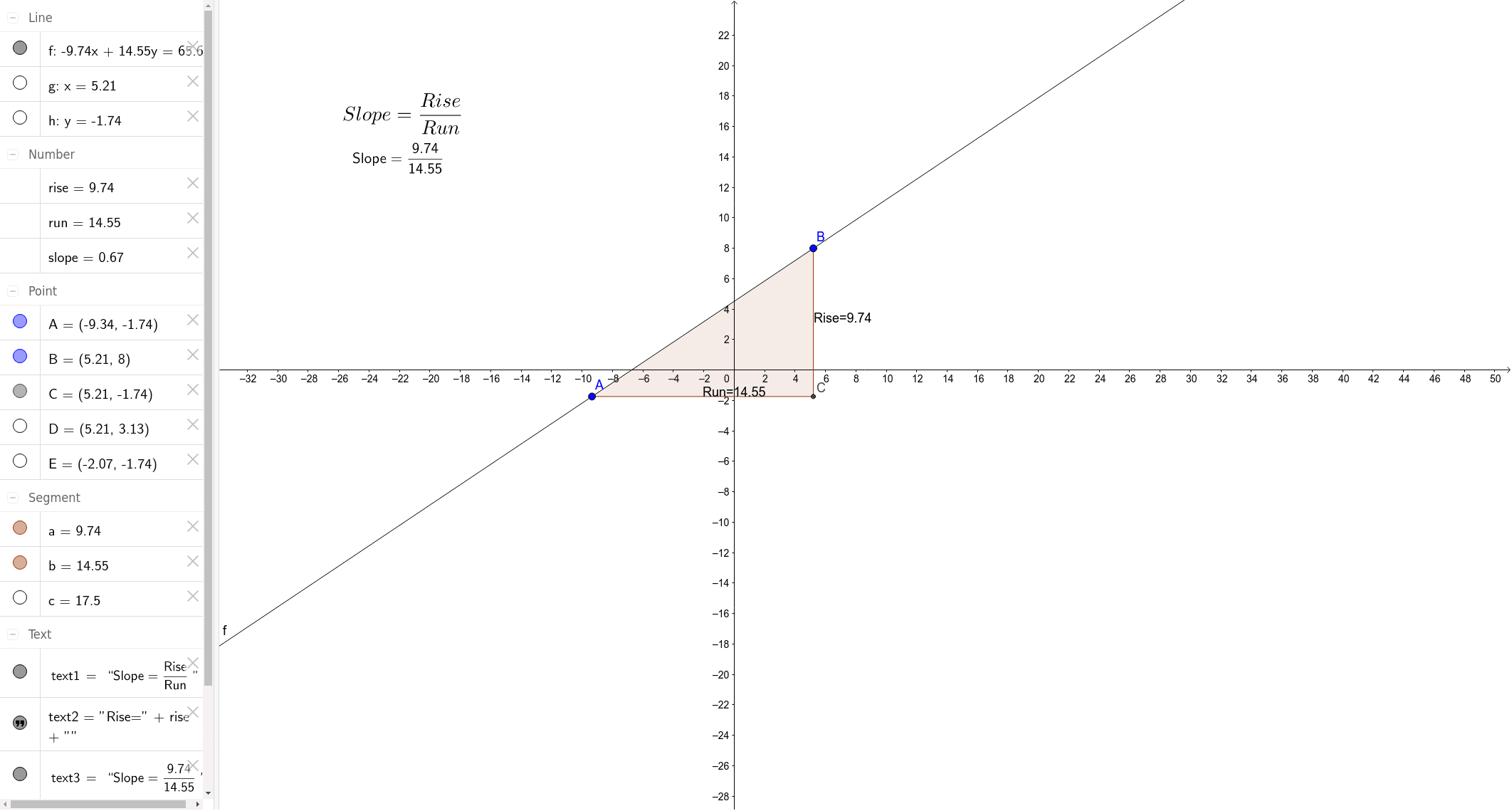
This example demonstrates how to create fractions and attached text in GeoGebra, visually presenting mathematical concepts such as fractions, percentages, scatter plots, fractal geometry, logarithmic functions, and matrices. Key construction points involve using GeoGebra commands and objects like Line, OrthogonalLine, Intersect, Polygon, Midpoint, and elements A, B, f, g, h, C, poly1, b, a, c, rise, run, slope, text1, text3, D, E, text2, text4. Suitable for middle school mathematics teaching and geometric construction learning.
GeoGebra Commands & Parameters
Line(A, B) → fOrthogonalLine(B, xAxis) → gOrthogonalLine(A, yAxis) → hIntersect(g, h) → CPolygon(A, C, B) → poly1, b, a, cMidpoint(B, C) → DMidpoint(C, A) → E
AI Drawing Prompt Reference
Draw a triangle formed by two perpendicular line segments and their intersection point, add text labels to the line segments to demonstrate fraction and percentage concepts, include a shape made of three points and two midpoints, presenting the geometric construction process of mathematics.
The prompt above was compiled from the original drawing commands and is for reference only.