
Finding Angles Using Trigonometric Ratios in Right Triangles
Loading the math board and drawing, please wait…
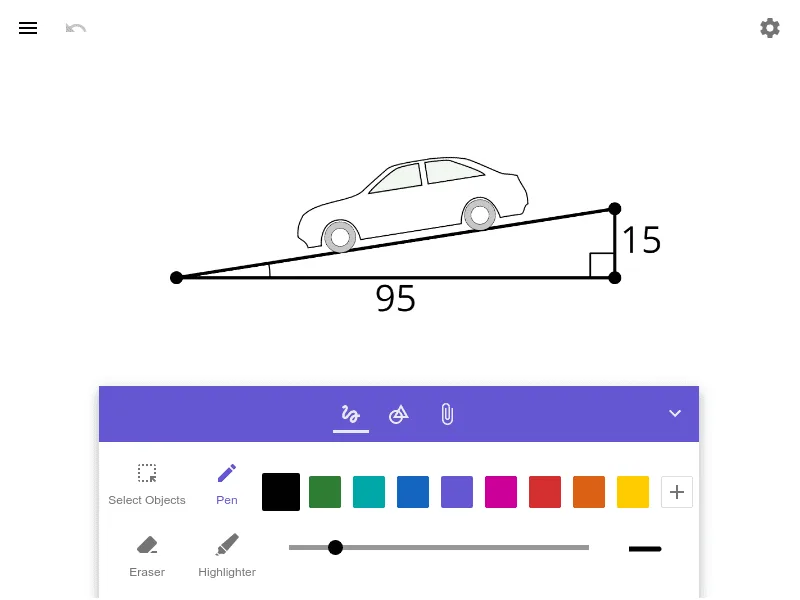
This example demonstrates how to determine an unknown angle in a right triangle using trigonometric ratios (sine, cosine, and tangent). It connects geometric side lengths with function values of angles, showing how the ratio of relevant sides—opposite, adjacent, and hypotenuse—leads to a computable angle. Key concepts include right triangles, the definitions of sin/cos/tan, identifying which sides correspond to a chosen angle, and validating results through angle measurement or consistency checks. The provided source contains no GeoGebra construction summary or explicit commands/objects, so the construction approach is typically: build or select a right triangle, label the sides relative to the target angle, compute the corresponding trigonometric ratio from given lengths, infer the angle, and verify by measuring/confirming the angle value. Suitable for middle and high school practice, especially for lessons integrating geometry with trigonometry.
AI Drawing Prompt Reference
First, draw a right triangle. Then, label the sides relative to the target angle, including the opposite, adjacent, and hypotenuse. Next, compute the trigonometric ratios such as sine, cosine, and tangent from the given side lengths. Finally, verify the inferred angle by measuring or confirming its consistency.
The prompt above was compiled from the original drawing commands and is for reference only.