
Finding Acute Angles in Right Triangles Using Inverse Trig Functions
Loading the math board and drawing, please wait…
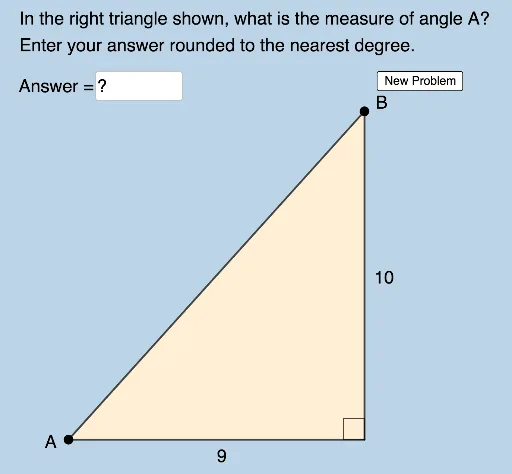
This example demonstrates how to find the acute angles in a right triangle using inverse trigonometric functions. Key concepts include inverse cosine and sine functions. Using GeoGebra commands such as Random, Circle, and Intersect, a random right triangle is generated and its acute angles are calculated. Suitable for middle school and above students or teachers.
GeoGebra Commands & Parameters
Random(2, 9) → aRandom(2, 10) → bRandom(a + 1, 10) → cPolygon(A, B_1, C) → t1, c_1, a_1, b_1Circle(A, c) → dIntersect(d, f, 1) → BPolygon(A, B_1, B) → t2, d_1, a_2, b_2Segment(A, B_1) → gSegment(B_1, B) → hSegment(B, A) → iSegment(C, B_1) → jSegment(C, A) → kAngle(B, B_1, A) → αRandom(1, 2) → mAngle(B_1, A, C) → βRandom(1, 2) → nElement(L1, n) → text1Element(L2, n) → text2Angle(B_1, A, B) → γTextfield(δ) → InputBox1Angle(A, C, B_1) → ηAngle(A, B, B_1) → θ