
Final Parabola Construction Demo
Loading the math board and drawing, please wait…
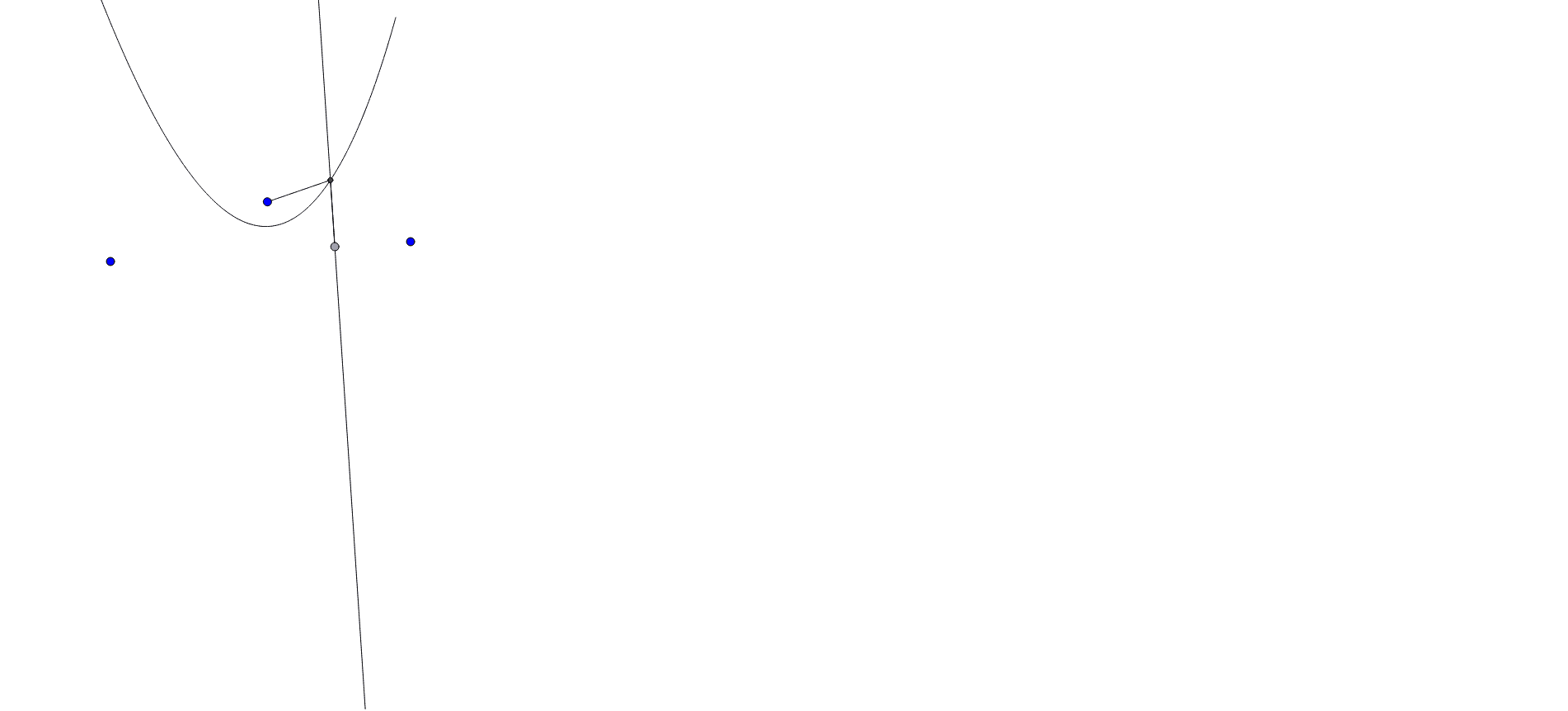
① This example demonstrates the step‑by‑step geometric construction of a parabola in its final form. ② Core mathematical concepts include the definition of a parabola (focus‑directrix property), tangent slope from differential calculus, rotation transformations, and properties of a kite quadrilateral. ③ Construction highlights: GeoGebra commands Segment, Point, OrthogonalLine, LineBisector, Intersect, and Locus are used to create objects A, B, a, C, D, b, c, d, E, F, G, e, f, and loc1, which together trace the parabola. ④ Suitable for high‑school analytic geometry and calculus lessons, as well as university‑level geometric construction demonstrations.
GeoGebra Commands & Parameters
Segment(A, B) → aPoint(a) → DOrthogonalLine(D, a) → bSegment(C, D) → cLineBisector(c) → dIntersect(d, c) → EIntersect(d, b) → FIntersect(b, d) → GSegment(C, F) → eSegment(F, D) → fLocus(F, D) → loc1
AI Drawing Prompt Reference
Start with a base segment AB and a fixed point C serving as the focus. Choose a movable point D on AB, draw the line through D perpendicular to AB, and connect C to D. Construct the perpendicular bisector of CD; it meets CD at E and meets the perpendicular through D at F (also giving G). Draw segments CF and FD. As D slides along AB, the locus of F traces a parabola, illustrating the focus‑directrix definition, tangent slope from calculus, rotation transformations, and the properties of a kite quadrilateral.
The prompt above was compiled from the original drawing commands and is for reference only.