
Figure Matching and Transformation
Loading the math board and drawing, please wait…
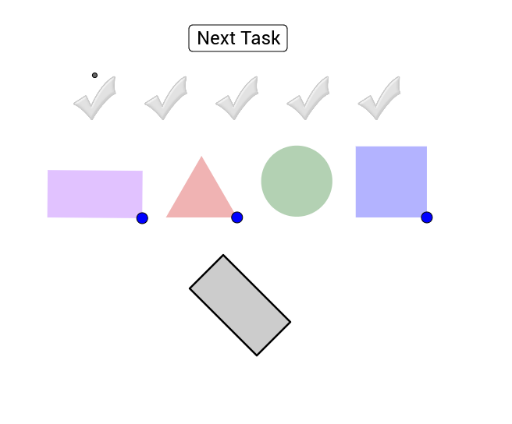
This example demonstrates figure matching and transformation by dragging and rotating colored figures to overlap a grey figure. Key math concepts include geometric transformations, coordinate geometry, and shape recognition. Construction involves commands like Circle, Point, Segment, OrthogonalLine, Intersect, Polygon, Rechteck, Dreieck, Quadrat. Suitable for middle school and above, ideal for teaching geometric transformations and shape recognition.
GeoGebra Commands & Parameters
Circle(A, 2) → cPoint(Circle[A, 4]) → ESegment(A, E) → jOrthogonalLine(A, j) → fOrthogonalLine(E, j) → gIntersect(c, f) → B, COrthogonalLine(C, f) → hIntersect(g, h) → DPolygon(A, E, D, C) → Vieleck1, a, e, d, c_1Rechteck(F) → Vieleck2, GRechteck(H) → Vieleck3, IRechteck(J) → Vieleck4, KRechteck(L) → Vieleck5, MRechteck(N) → Vieleck6, ORechteck(P) → Vieleck7, QPoint(Circle[R, 3]) → SSegment(R, S) → iCircle(R, S) → kCircle(S, R) → pIntersect(k, p, 1) → TPolygon(R, S, T) → Vieleck8, t, r, sDreieck(U) → Vieleck9, VDreieck(W) → Vieleck10, ZDreieck(A_1) → Vieleck11, B_1Dreieck(C_1) → Vieleck12, D_1Dreieck(E_1) → Vieleck13, F_1Circle(G_1, 1.5) → qCircle(H_1, 1.5) → d_1Circle(I_1, 1.5) → e_1Circle(J_1, 1.5) → f_1Circle(K_1, 1.5) → g_1Circle(L_1, 1.5) → h_1Point(Circle[M_1, 3]) → N_1Segment(M_1, N_1) → lOrthogonalLine(M_1, l) → mOrthogonalLine(N_1, l) → nCircle(M_1, N_1) → k_1Circle(N_1, M_1) → p_1Intersect(k_1, m, 2) → O_1Intersect(p_1, n, 2) → P_1Polygon(O_1, M_1, N_1, P_1) → Vieleck14, o_1, m_1, n_1, p_2Quadrat(Q_1) → Vieleck15, R_1Quadrat(S_1) → Vieleck16, T_1Quadrat(U_1) → Vieleck17, V_1Quadrat(W_1) → Vieleck18, Z_1Quadrat(A_2) → Vieleck19, B_2