
Fermat-Euler: Geometric and Functional Intersection
Loading the math board and drawing, please wait…
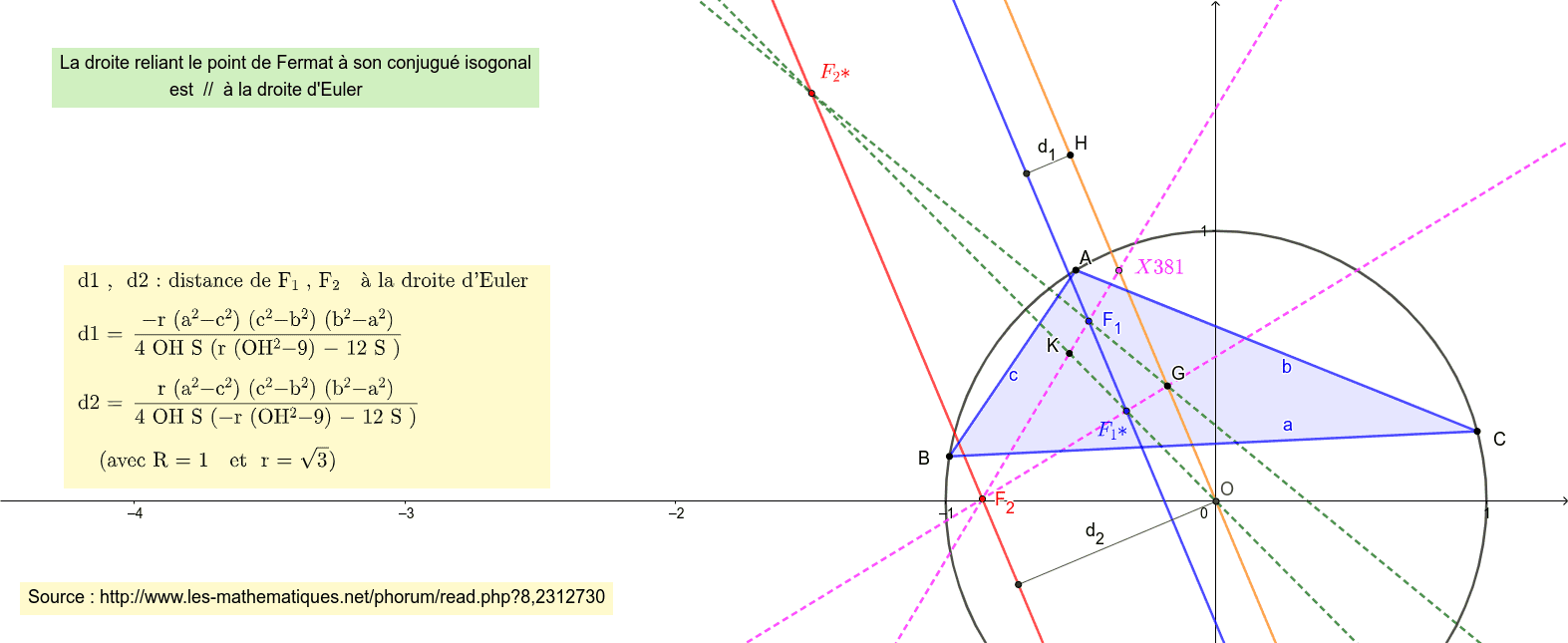
The Fermat-Euler example demonstrates the dynamic interaction between geometric figures and function graphs. Key mathematical concepts include geometric construction, function graphing, and locus analysis. Construction involves using GeoGebra commands like Intersect, Circle, Polygon, and Isogonal to build triangles, circles, and polygons, while analyzing geometric relationships with OrthogonalLine and other tools. Suitable for high school students or undergraduate students learning the integration of analytic geometry and function graphing.
GeoGebra Commands & Parameters
Intersect(xAxis, yAxis) → OCircle(O, 1) → c_{2}Point(c_{2}) → APoint(c_{2}) → BPoint(c_{2}) → CPolygon(A, B, C) → t1, c, a, bTriangleCenter(A, B, C, 2) → GTriangleCenter(A, B, C, 4) → HLine(H, G) → fTriangleCenter(A, B, C, 13) → F_1TriangleCenter(A, B, C, 14) → F_2Isogonal(A, B, C, F_1) → DIsogonal(A, C, B, F_2) → ELine(F_1, D) → gLine(E, F_2) → hTriangleCenter(A, B, C, 381) → FLine(F_2, F_1) → iTriangleCenter(A, B, C, 6) → KLine(G, F_1) → jLine(K, D) → kOrthogonalLine(H, f) → lIntersect(l, g) → ISegment(I, H) → d_1OrthogonalLine(O, f) → mIntersect(h, m) → JSegment(J, O) → d_2Line(F_2, G) → nSegment(O, H) → oh
AI Drawing Prompt Reference
Draw a triangle ABC by selecting three points A, B, and C on a circle with center O and radius 1. Construct lines f, g, h, i, j, k, l, m, and n using the triangle centers G, H, F1, F2, F, and K. Finally, draw segments d1, d2, and oh.
The prompt above was compiled from the original drawing commands and is for reference only.