
Fantastic Triangle
Loading the math board and drawing, please wait…
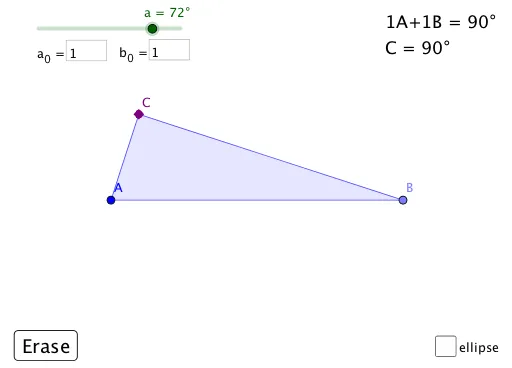
This example demonstrates a special type of triangle called a 'Fantastic Triangle', where the third angle is double the first. It involves core math concepts like triangle angle sum theorem, angle relationships, and geometric construction. The construction uses commands such as Point, Intersect, Polygon, Ellipse, and Textfield, with sliders for dynamic parameter adjustment. Suitable for middle school and above students learning geometric constructions and angle relationships.
GeoGebra Commands & Parameters
Point(Ray[A, A + (1, 0)]) → BIntersect(Ray[A, Rotate[B, a, A]], Ray[B, Rotate[A, (-b), B]]) → CPolygon(A, B, C) → t1, c_1, a_1, b_1Ellipse(D, E, B) → dTextfield(a_0) → InputBox1Textfield(b_0) → InputBox2
AI Drawing Prompt Reference
Draw a triangle where the third angle is twice the first, demonstrating angle relationships and geometric construction. Use sliders to adjust parameters dynamically: start by drawing two rays intersecting to form vertices, then connect the vertices to create the triangle, draw an ellipse using one side as the axis, and finally label the angle measures.
The prompt above was compiled from the original drawing commands and is for reference only.