
Factoring Sum/Difference of Cubes Interactive Practice
Loading the math board and drawing, please wait…
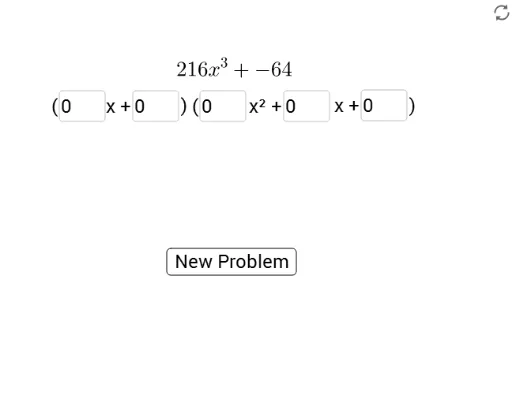
① This GeoGebra example demonstrates how to factor expressions of the form a³+b³ or a³−b³ into products of binomials and trinomials using interactive input boxes and a button. ② The core mathematical concepts are the algebraic identities for the sum and difference of cubes: a³+b³=(a+b)(a²−ab+b²) and a³−b³=(a−b)(a²+ab+b²), involving polynomial manipulation and symbolic reasoning. ③ Construction highlights: from the summary, it uses Textfield, InputBox, button, and list objects, along with variables a, b and their copies (a_1, b_1, etc.), text objects (text1, text2), a picture (pic1), and points A and B to dynamically display the factoring process. ④ This is suitable for upper middle school or high school algebra courses, serving as a classroom demonstration or self-paced practice tool for students to verify the formulas and master the factoring steps.
GeoGebra Commands & Parameters
Textfield(a_3) → InputBox1Textfield(b_3) → InputBox2Textfield(a_4) → InputBox3Textfield(c_4) → InputBox4Textfield(b_4) → InputBox5
AI Drawing Prompt Reference
Create an interactive algebra practice layout showing the sum and difference of cubes factoring formulas. Include five input boxes for variables and coefficients, a button to trigger calculation, and a dynamic display area that expands cubic polynomials into binomial and trinomial products with highlighted terms. Add a decorative background image and keep the design clean for classroom use.
The prompt above was compiled from the original drawing commands and is for reference only.