
Exploring the SSS Triangle Congruence Theorem
Loading the math board and drawing, please wait…
In collections
Triangle Congruence Theorems
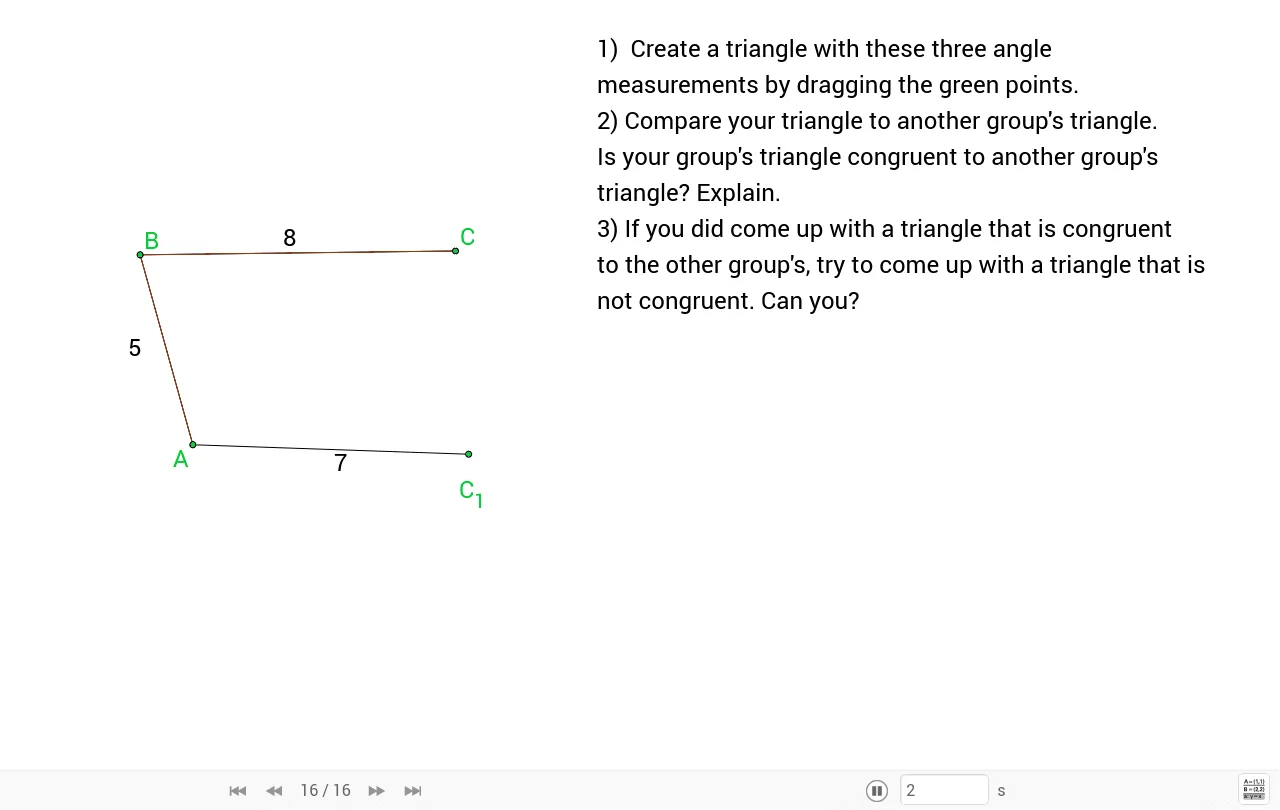
This example demonstrates the SSS triangle congruence theorem by constructing triangles based on three side lengths. Key math concepts include triangle construction, side length relationships, and geometric congruence criteria. GeoGebra commands like Point, Segment, Polygon, and Angle are used to create geometric objects, with LengthAB, LengthBC, LengthAC objects quantifying side lengths, and symbols like α, β, γ for angles. Suitable for middle school and above students to understand triangle congruence criteria and geometric constructions.
GeoGebra Commands & Parameters
Point(Circle[A, LengthAB]) → BSegment(A, B) → aPoint(Circle[B, LengthBC]) → CSegment(B, C) → bPoint(Circle[A, LengthAC]) → C_1Segment(A, C_1) → cSegment(C_1, C) → dPolygon(B, A, C) → poly1, c_1, b_1, a_1Angle(A, B, C) → αAngle(B, C, A) → βAngle(C, A, B) → γ
AI Drawing Prompt Reference
Draw a triangle with three given side lengths a, b, and c. Start by drawing a circle centered at point A with radius a, and find point B on the circle. Then draw a circle centered at point B with radius b, and find point C on the circle. Next, draw a circle centered at point A with radius c, and find point C1 on the circle. Connect points A, B, and C to form triangle ABC, and connect points A, C1, and C to form triangle AC1C. Measure the three angles of triangle ABC, labeled as α, β, and γ.
The prompt above was compiled from the original drawing commands and is for reference only.