
Exploring the Derivative of a Quadratic Function
Loading the math board and drawing, please wait…
GeoGebra Commands & Parameters
Mirror(P1, yAxis) → P1'Mirror(P1'', yAxis) → P1'''Polygon(P1, P1', P1'', P1''') → peep, p1, p1', p1'', p1'''Segment((x(P1), 0), (x(P1'), 0)) → fakeXSegment((0, y(P1)), (0, y(P1''))) → fakeYSequence((t, given(t)), t, -4, 3, 1) → ptOnePoint(ptOne) → TTangent(T, given) → tZip(Slope[Tangent[P, given]], P, ptOne) → allSlopesFirst({titles, row1, row2, row3, row4, row5, row6, row7, row8}, aniSli + 1) → allDataTableText(allData, "|111_1111111111c", 45, 30) → text1
AI Drawing Prompt Reference
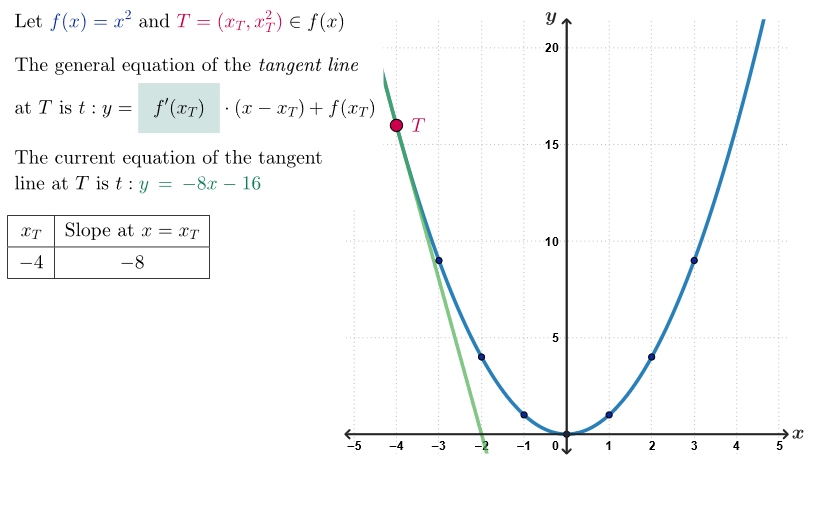
Draw a coordinate plane with two parabolas, one opening upward and one downward, representing positive and negative quadratic functions. Mark points at integer x-coordinates from -4 to 3 on the horizontal axis, and at each corresponding point on the parabolas, draw tangent lines whose slopes indicate the derivative. Use dashed segments to connect symmetric points, forming a rectangular outline, and add axis tick marks. Place a table beside the graph listing x-values, y-values, and tangent slopes for each point, with the table content updating dynamically based on a slider, and include a text note explaining the geometric meaning of the derivative.
The prompt above was compiled from the original drawing commands and is for reference only.