
Exploring the Area of a Circle via Sector Rearrangement
Loading the math board and drawing, please wait…
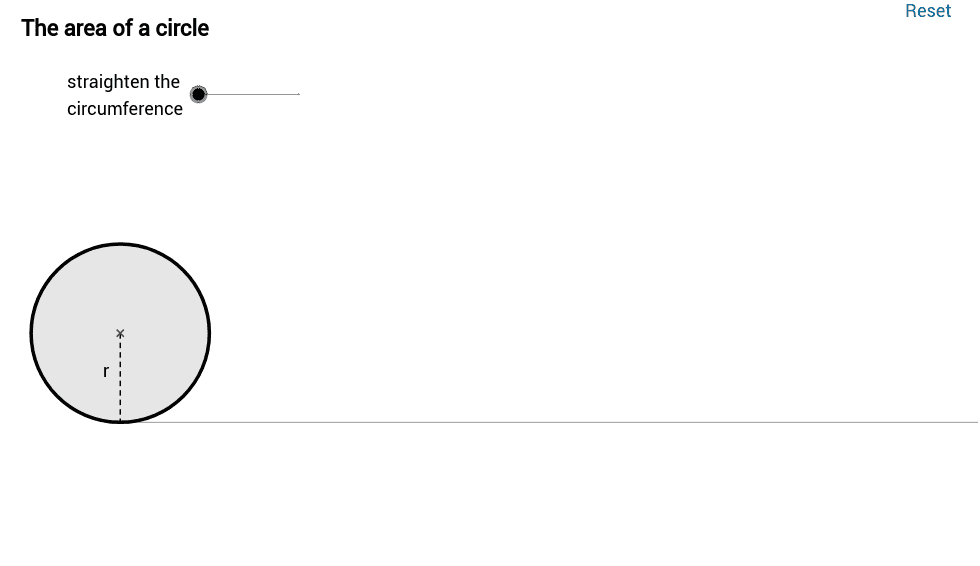
This GeoGebra example demonstrates the derivation of the area of a circle formula by cutting the circle into sectors and rearranging them to form a shape close to a parallelogram. Key mathematical concepts include circle area, sector geometry, parallelogram approximation, and limit concepts from calculus. The construction utilizes commands such as Segment, Point, Sequence, Rotate, Sector, and Circle to create interactive elements. Objects like parameters n (number of sectors) and θ (angle) allow dynamic adjustment. It is suitable for high school or university students to visualize area calculations and enhance geometric understanding.
GeoGebra Commands & Parameters
Segment(E, (x(E) + 2, y(E))) → aPoint(a) → FMin(x(F) - x(E), 1) → kPoint(yAxis) → OSequence(If[k < 1, (x(O) + l * sin(i * φ) * cos(i * φ) / sin(φ), y(O) + l * sin(i * φ) * sin(i * φ) / sin(φ)), (x(O) + l * i, y(O))], i, 0, 2 * n) → list2Sequence((x(O) + sin(i * θ), y(O) + 1 - cos(i * θ)), i, 0, 2 * n) → list1Max(x(F) - x(E) - 1, 0) → k'Rotate((x(O) + 0, y(O) + 1), -k * θ / 2, O) → ARotate(O, -k * θ / 2, O) → O'Rotate(Element[list1, 1], -k * θ / 2, O) → BSector(Rotate[Circle[(x(O) + 0, y(O) + 1), O], -k * θ / 2, O], Rotate[O, -k * θ / 2, O], Rotate[Element[list1, 1], -k * θ / 2, O]) → cRotate((x(O) + 0, y(O) + 1), -k * θ / 2, O) → CRotate(O, -k * θ / 2, O) → O'_1Rotate(Element[list1, 1], -k * θ / 2, O) → DArc(Rotate[Circle[(x(O) + 0, y(O) + 1), O], -k * θ / 2, O], O'_1, D) → dCurveCartesian(t - sin(t), 1 - cos(t), t, 0, 6.28319) → bCircle((0, 1), 1) → hRay((0, 0), (1, 0)) → iPoint(Segment[(0, 1), (6.28319, 1)]) → HSegment(H, (x(H), 0)) → jMidpoint(j) → IMidpoint(a) → JCircle(L, 1 / (1 - m)) → pCircle((0, 0), 1 / (1 - m)) → qIntersect(p, q, 1) → MIntersect(p, q, 2) → NCircle((0, 1), 1) → c_1Segment((0, 0), (6.283185307179586, 0)) → eSegment(G, (x(G), y(G) - 1)) → rSequence(Sector[Rotate[Translate[Circle[(x(O) + 0, y(O) + 1), Element[list1, i]], Vector[Element[list1, i], Element[list2, i]]], -(2 * i - 1) * k * θ / 2, Element[list2, i]], Rotate[Translate[Element[list1, i], Vector[Element[list1, i], Element[list2, i]]], -(2 * i - 1) * k * θ / 2, Element[list2, i]], Rotate[Translate[Element[list1, i + 1], Vector[Element[list1, i], Element[list2, i]]], -(2 * i - 1) * k * θ / 2, Element[list2, i]]], i, 1, n) → list3Sequence(Sector[Rotate[Rotate[Translate[Circle[(x(O) + 0, y(O) + 1), Element[list1, i]], Vector[Element[list1, i], Element[list2, i]]], -(2 * i - 1) * k * θ / 2, Element[list2, i]], 180° * k', (x(O) + n * l - sin(θ / 2) / 2, y(O) + cos(θ / 2) / 2)], Rotate[Rotate[Translate[Element[list1, i], Vector[Element[list1, i], Element[list2, i]]], -(2 * i - 1) * k * θ / 2, Element[list2, i]], 180° * k', (x(O) + n * l - sin(θ / 2) / 2, y(O) + cos(θ / 2) / 2)], Rotate[Rotate[Translate[Element[list1, i + 1], Vector[Element[list1, i], Element[list2, i]]], -(2 * i - 1) * k * θ / 2, Element[list2, i]], 180° * k', (x(O) + n * l - sin(θ / 2) / 2, y(O) + cos(θ / 2) / 2)]], i, n + 1, 2 * n) → list4CircleArc((0, 1 / (1 - m)), O, L) → s
AI Drawing Prompt Reference
Draw a circle divided into multiple sectors that are rearranged to approximate a parallelogram, illustrating the formula for the area of a circle. Include a slider for the number of sectors and an angle parameter. The sectors rotate and move to form a shape close to a parallelogram, demonstrating geometric and calculus concepts related to the circle's area.
The prompt above was compiled from the original drawing commands and is for reference only.