
Exploring the Area of a Circle by cheredia3
Loading the math board and drawing, please wait…
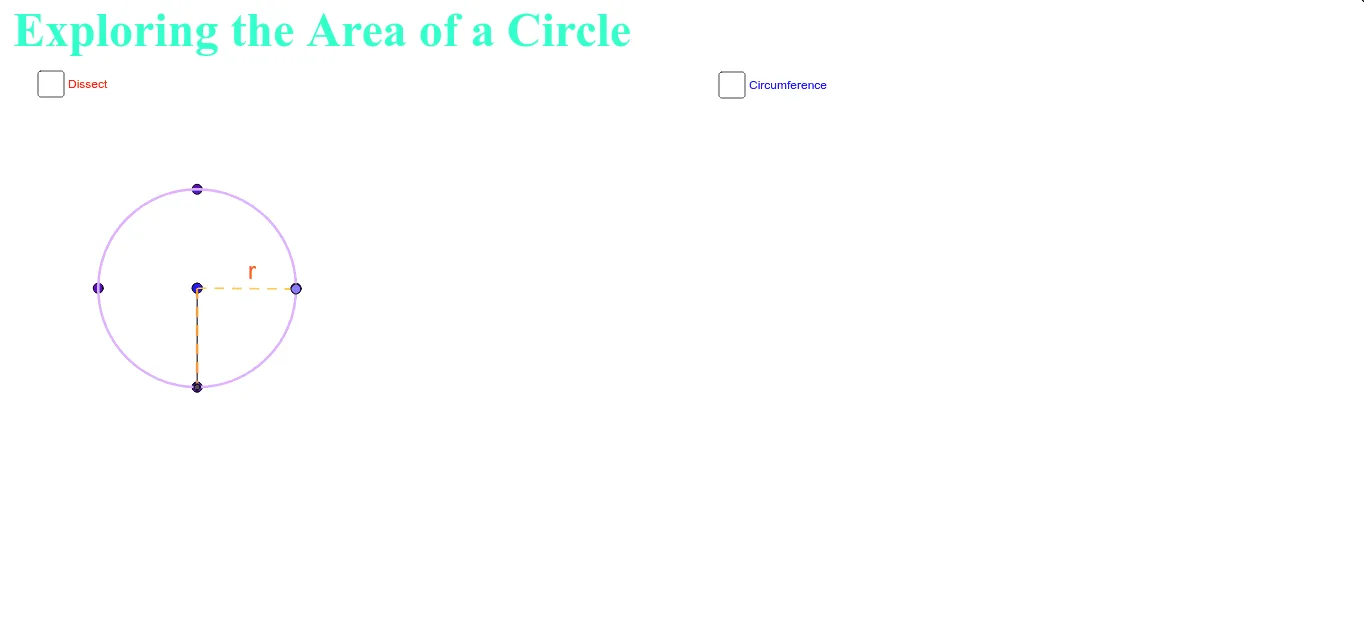
This example demonstrates how to derive the area of a circle by dissecting it into sectors and rearranging them into a shape resembling a rectangle. Key math concepts include the circumference of a circle, the concept of limits, geometric transformations, and algebraic operations. GeoGebra commands and objects used in the construction include Intersect, Segment, Point, Min, Max, CurveCartesian, Circle, Ray, Midpoint, CircleArc, Sequence, Rotate, Sector, Arc, Textfield. Suitable for high school mathematics instruction to visually understand the derivation process of the circle area formula.
GeoGebra Commands & Parameters
Intersect(xAxis, yAxis) → OSegment(E, (x(E) + 4, y(E))) → aPoint(a) → FMin((x(F) - x(E)) / (a / 2), 1) → kPoint(Segment[(0, 1), (6.28319, 1)]) → HSegment(H, (x(H), 0)) → jMax((x(F) - x(E)) / (a / 2) - 1, 0) → k'CurveCartesian(t - sin(t), 1 - cos(t), t, 0, 6.28319) → bCircle((0, 1), 1) → hRay((0, 0), (1, 0)) → iMidpoint(a) → JCircle((0, 1), 1) → c_1Segment((0, 0), (6.28319, 0)) → eSegment(G, (x(G), y(G) - 1)) → rCircleArc((0, 1 / (1 - m)), (0, 0), L) → sSequence((x(O) + sin((i * θ)), y(O) + 1 - cos((i * θ))), i, 0, (2 * n)) → list1Sequence(If[k < 1, (x(O) + ((l * sin((i * φ))) * cos((i * φ)) / sin(φ)), y(O) + ((l * sin((i * φ))) * sin((i * φ)) / sin(φ))), (x(O) + (l * i), y(O))], i, 0, (2 * n)) → list2Rotate((x(O) + 0, y(O) + 1), ((-k) * θ / 2), O) → ARotate(O, ((-k) * θ / 2), O) → O'Rotate(Element[list1, 1], ((-k) * θ / 2), O) → BSector(Rotate[Circle[(x(O) + 0, y(O) + 1), O], ((-k) * θ / 2), O], Rotate[O, ((-k) * θ / 2), O], Rotate[Element[list1, 1], ((-k) * θ / 2), O]) → cRotate((x(O) + 0, y(O) + 1), ((-k) * θ / 2), O) → CRotate(Element[list1, 1], ((-k) * θ / 2), O) → DRotate(O, ((-k) * θ / 2), O) → O'_1Arc(Rotate[Circle[(x(O) + 0, y(O) + 1), O], ((-k) * θ / 2), O], O'_1, D) → dMidpoint(j) → ICircle(L, 1 / (1 - m)) → pCircle((0, 0), 1 / (1 - m)) → qIntersect(p, q, 1) → MSequence(Sector[Rotate[Translate[Circle[(x(O) + 0, y(O) + 1), Element[list1, i]], Vector[Element[list1, i], Element[list2, i]]], (((-((2 * i) - 1)) * k) * θ / 2), Element[list2, i]], Rotate[Translate[Element[list1, i], Vector[Element[list1, i], Element[list2, i]]], (((-((2 * i) - 1)) * k) * θ / 2), Element[list2, i]], Rotate[Translate[Element[list1, i + 1], Vector[Element[list1, i], Element[list2, i]]], (((-((2 * i) - 1)) * k) * θ / 2), Element[list2, i]]], i, 1, n) → list3Sequence(Sector[Rotate[Rotate[Translate[Circle[(x(O) + 0, y(O) + 1), Element[list1, i]], Vector[Element[list1, i], Element[list2, i]]], (((-((2 * i) - 1)) * k) * θ / 2), Element[list2, i]], (180° * k'), (x(O) + (n * l) - sin(θ / 2) / 2, y(O) + cos(θ / 2) / 2)], Rotate[Rotate[Translate[Element[list1, i], Vector[Element[list1, i], Element[list2, i]]], (((-((2 * i) - 1)) * k) * θ / 2), Element[list2, i]], (180° * k'), (x(O) + (n * l) - sin(θ / 2) / 2, y(O) + cos(θ / 2) / 2)], Rotate[Rotate[Translate[Element[list1, i + 1], Vector[Element[list1, i], Element[list2, i]]], (((-((2 * i) - 1)) * k) * θ / 2), Element[list2, i]], (180° * k'), (x(O) + (n * l) - sin(θ / 2) / 2, y(O) + cos(θ / 2) / 2)]], i, n + 1, (2 * n)) → list4Midpoint(e) → NTextfield() → InputBox1Textfield() → InputBox2Point(c_1) → QSegment(H, Q) → g
AI Drawing Prompt Reference
Draw a circle with radius 1, divided into many sectors. Rearrange these sectors by rotating and translating them into a shape resembling a rectangle. Include a horizontal segment representing the circumference, a slider to control the number of sectors, and another slider to control the rearrangement progress. When progress is 0, sectors stay in circular arrangement; when progress is 1, they form a rectangle. Also show an auxiliary circle, a radius segment from center to circumference, and two input boxes for parameters. This illustrates the derivation of the circle area formula.
The prompt above was compiled from the original drawing commands and is for reference only.