
Exploring Pythagoras
Loading the math board and drawing, please wait…
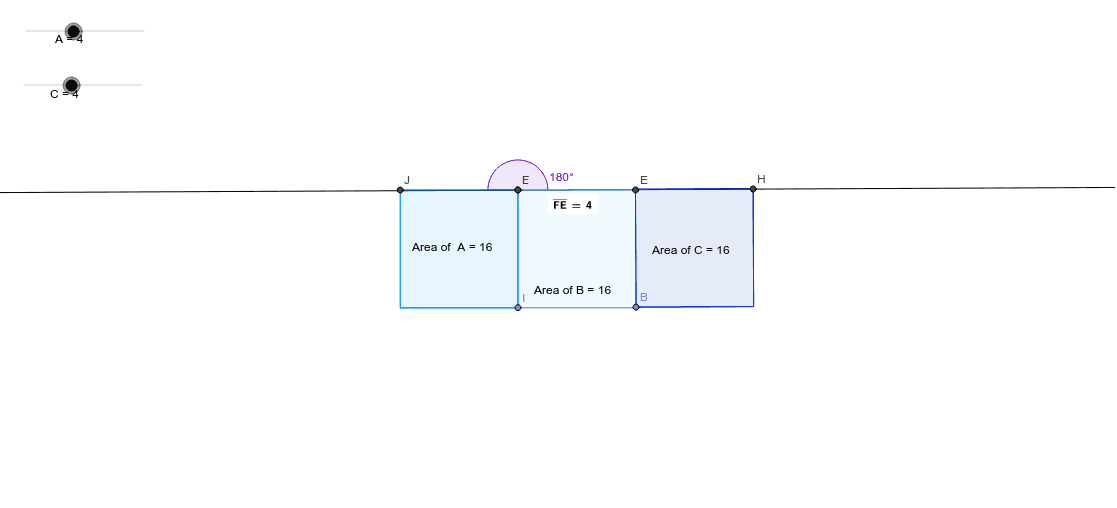
This example demonstrates the Pythagorean Theorem using squares. It illustrates the relationship in a right triangle where the sum of the squares of the legs equals the square of the hypotenuse. Key math concepts include the Pythagorean Theorem, squares, perimeter, algebra, etc. Construction highlights the use of GeoGebra commands and objects like Circle, Point, Segment, Polygon, Distance, Angle, Intersect, PointIn, and Line. Suitable for middle school and above students to learn and understand the Pythagorean Theorem and its applications.
GeoGebra Commands & Parameters
Circle(A_1, C) → cPoint(c) → BSegment(A_1, B) → bPoint(Circle[C_1, 4]) → DSegment(C_1, D) → dPolygon(C_1, D, 4) → areapoly1, e, f, g, h, E, FPolygon(A_1, B, 4) → areapoly2, i, j, k, l, G, HCircle(F, A) → pPoint(p) → ISegment(F, I) → nPolygon(I, F, 4) → areapoly3, q, r, s, t, J, KDistance(K, I) → distanceKIDistance(C_1, D) → distanceCDDistance(B, G) → distanceBGDistance(F, E) → distanceFEAngle(E, F, J) → αIntersect(h, q) → LIntersect(d, h) → MPointIn(areapoly3) → Pointpoly3PointIn(areapoly2) → Pointpoly2PointIn(areapoly1) → Pointpoly1Line(O, P) → a_1
AI Drawing Prompt Reference
Draw a right triangle with squares on its legs and hypotenuse to illustrate the Pythagorean theorem. Use circles and points to assist in construction, label the areas of the squares, and show key distances. Finally, connect important points with lines to complete the geometric construction.
The prompt above was compiled from the original drawing commands and is for reference only.