
Exploring Parallelogram Properties by Rosalie83
Loading the math board and drawing, please wait…
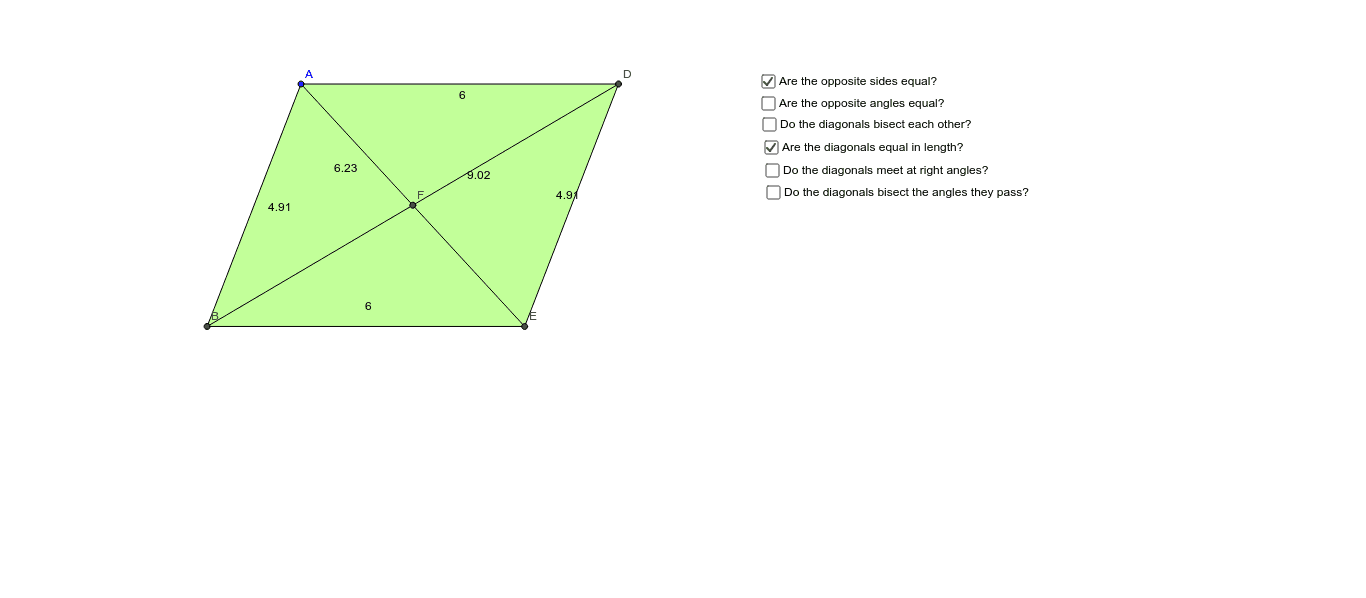
This example demonstrates the properties of a parallelogram using an interactive applet. Key mathematical concepts include equal opposite sides, equal opposite angles, and bisecting diagonals. It is constructed using GeoGebra commands like Point, Segment, Line, Polygon, Intersect, and Angle. Suitable for middle school and above students for geometry learning and exploration.
GeoGebra Commands & Parameters
Intersect(xAxis, yAxis) → BLine(B, A) → aLine(A, xAxis) → bLine(B, b) → cPoint(c) → CLine(C, a) → dIntersect(b, d) → DIntersect(c, d) → EPolygon(B, A, D, E) → poly1, b_1, a_1, d_1, eSegment(B, D) → fSegment(A, E) → gIntersect(f, g) → FSegment(B, F) → hSegment(F, D) → iSegment(E, F) → jSegment(F, A) → kAngle(E, F, D) → αAngle(D, F, A) → βAngle(A, F, B) → γAngle(B, F, E) → δAngle(D, E, B) → εAngle(B, A, D) → ζAngle(A, D, E) → ηAngle(E, B, A) → θAngle(E, B, F) → ιAngle(F, B, A) → κAngle(B, A, F) → λAngle(F, A, D) → μAngle(F, E, B) → νAngle(D, E, F) → ξAngle(F, D, E) → οAngle(A, D, F) → ρ
AI Drawing Prompt Reference
Draw a parallelogram to demonstrate its properties: equal opposite sides, equal opposite angles, and bisecting diagonals. Start by plotting the intersection of the x and y axes, then draw two segments from this point, one perpendicular and one parallel to another segment, forming three vertices of the parallelogram. Connect these vertices to complete the shape, and draw the diagonals. Measure and label the angles and the intersection point of the diagonals to verify the properties of the sides and diagonals.
The prompt above was compiled from the original drawing commands and is for reference only.