
Exploring Fraction Ordering
Loading the math board and drawing, please wait…
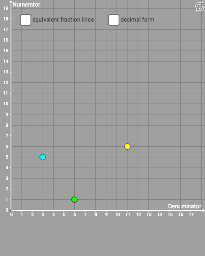
This example demonstrates how to visually explore the ordering of different fractions using geometric methods. Key math concepts include fraction comparison, number line representation, and geometric sorting. It utilizes GeoGebra commands like Polygon, Ray, and Segment. Suitable for middle school students and above to learn fraction comparison and geometric intuition, or for mathematical teaching demonstrations.
GeoGebra Commands & Parameters
Polygon(A, C, D, B) → poly1, a, c, d, bRay(A, E) → eSegment(F, E) → fSegment(G, E) → gRay(A, H) → hSegment(I, H) → iSegment(H, J) → jSegment(A, K) → kRay(A, Q) → mSegment((0, y(Q)), Q) → nSegment(Q, (x(Q), 0)) → p
AI Drawing Prompt Reference
Draw a geometric representation of fraction ordering, including a quadrilateral ABCD, a ray AE from point A, and line segments FE and GE from point E. Then draw two rays AH and AQ from point A, and line segments HI, HJ, and AK from point H. Finally, draw a horizontal line segment and a vertical line segment from point Q.
The prompt above was compiled from the original drawing commands and is for reference only.