
Exploring Features of Quadratic Functions in Vertex Form
Loading the math board and drawing, please wait…
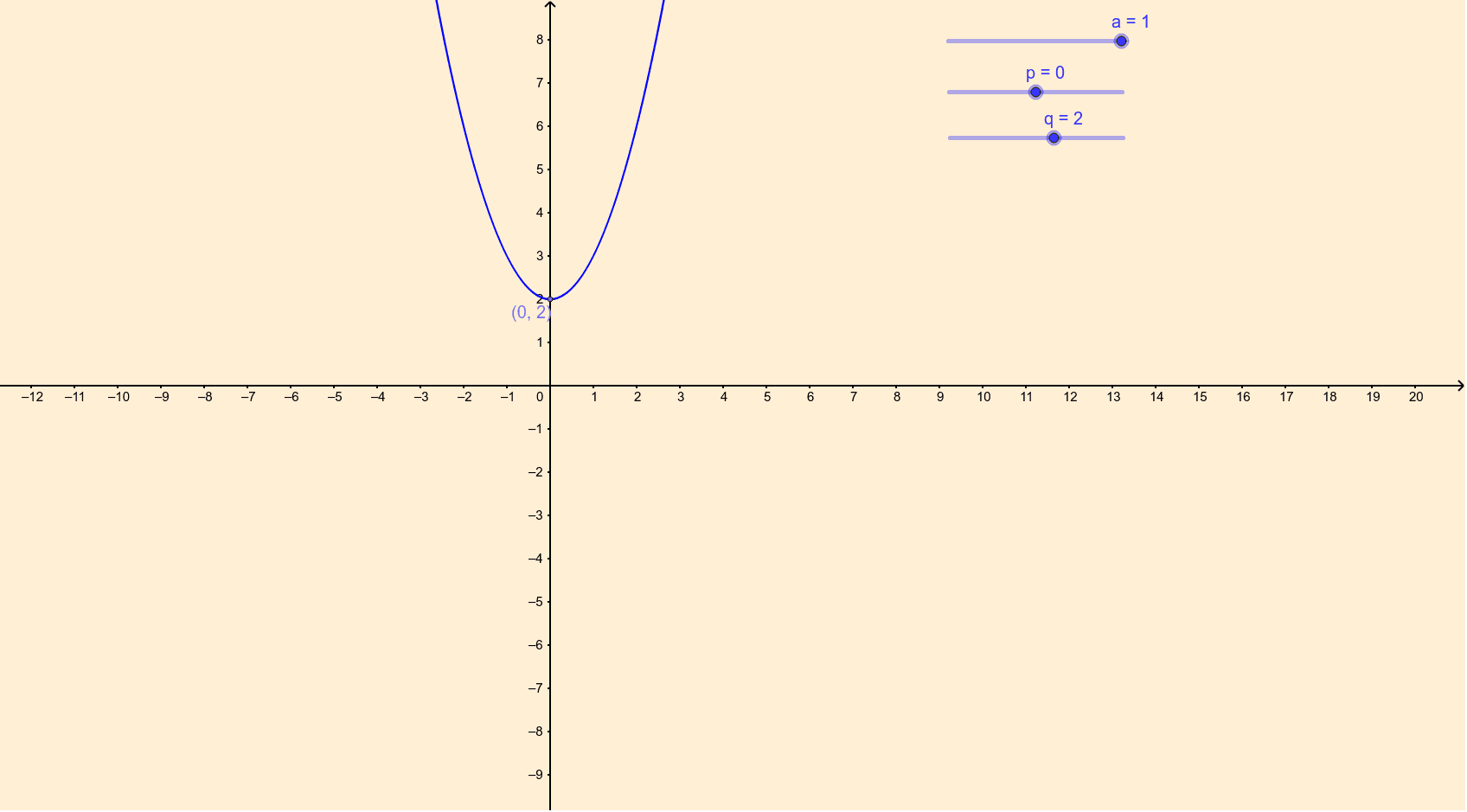
This interactive example demonstrates the properties of quadratic functions expressed in the vertex form f(x) = a(x+p)^2 + q. It focuses on key mathematical concepts including the direction of the parabola's opening, the vertex coordinates (-p, q), and the effects of horizontal and vertical translations. The construction utilizes GeoGebra's Point command to define parameters a, p, and q, along with auxiliary points c and A, allowing users to manipulate these values to observe real-time changes in the graph. This tool is ideal for middle and high school students studying function transformations and coordinate geometry.
GeoGebra Commands & Parameters
Point(c) → A
AI Drawing Prompt Reference
Create an interactive graph of a quadratic function in vertex form, f(x) = a(x+p)^2 + q. The graph should show a parabola whose opening direction depends on parameter a, with its vertex at (-p, q). Include three draggable points to adjust the values of a, p, and q, along with an auxiliary point for parameter manipulation. As these points are dragged, the parabola should update in real time, demonstrating translations and changes in opening direction. The image should include coordinate axes and a grid for easy observation of transformations.
The prompt above was compiled from the original drawing commands and is for reference only.