
Exploring Centers of a Triangle
Loading the math board and drawing, please wait…
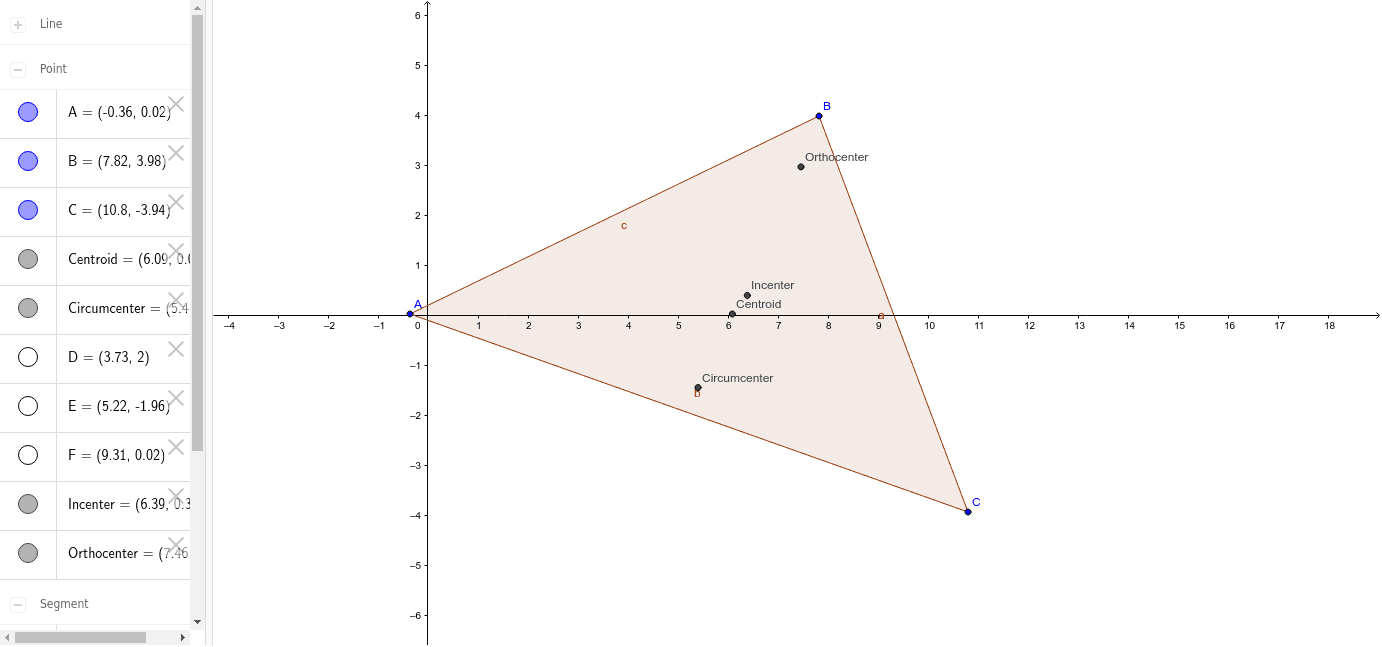
This example allows students to manipulate the size/shape of a triangle to discover properties of the incenter, circumcenter, centroid, and orthocenter. It involves core math concepts like triangle centers, vectors, linear functions, slope differences, 3D vectors, and bar graphs. Construction uses commands like Polygon, OrthogonalLine, Intersect, AngularBisector, Midpoint, and Line. Ideal for high school and above to explore geometric properties and concepts.
GeoGebra Commands & Parameters
Polygon(A, B, C) → poly1, c, a, bOrthogonalLine(A, a) → dOrthogonalLine(B, b) → eOrthogonalLine(C, c) → fIntersect(d, e) → OrthocenterAngularBisector(B, A, C) → gAngularBisector(A, B, C) → hAngularBisector(B, C, A) → iIntersect(g, h) → IncenterMidpoint(c) → DMidpoint(b) → EMidpoint(a) → FOrthogonalLine(D, c) → jOrthogonalLine(F, a) → kOrthogonalLine(E, b) → lIntersect(j, k) → CircumcenterLine(D, C) → mLine(A, F) → nLine(E, B) → pIntersect(m, n) → Centroid
AI Drawing Prompt Reference
Draw a triangle ABC, then construct the perpendiculars from each vertex to the opposite side, and find their intersections to get the orthocenter, incenter, and circumcenter. Next, find the midpoints of each side, then construct the perpendiculars from these midpoints to the opposite sides, and find their intersections to get the circumcenter. Finally, connect each vertex to the midpoint of the opposite side, and find the intersection of these medians to get the centroid.
The prompt above was compiled from the original drawing commands and is for reference only.