
Explore Cube Sections
Loading the math board and drawing, please wait…
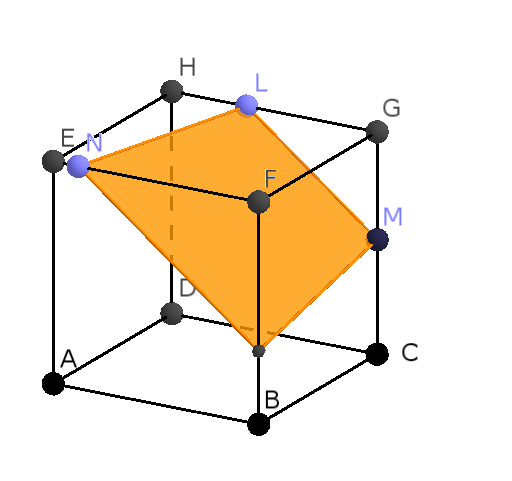
This example demonstrates how to dynamically explore the cross-section shapes of a cube under different plane sections. It involves core math concepts like solid geometry, cross-section geometry, and analytical geometry. Construction highlights include using commands like Intersect, Point, Cube, Plane, IntersectPath, CornerThreeD, and OrthogonalLine. Suitable for high school students and math enthusiasts to understand spatial geometry and cross-section relationships, as well as for teaching linear programming and optimization.
GeoGebra Commands & Parameters
Intersect(xAxis, zAxis) → APoint(xAxis) → BPoint(Circle[B, Distance[A, B], Segment[A, B]]) → CCube(A, B, C) → cube, D, faceCDHG, faceEFGH, arêteAD, arêteAB_1, arêteBC, arêteCD, arêteAE, arêteDH, arêteEH, arêteEF, E, arêteBF, arêteFG, arêteCG, arêteGH, F, G, H, faceABCD, faceADHE, faceABFE, faceBCGFPoint(cube) → LPoint(cube) → MPoint(cube) → NPlane(L, M, N) → planIntersectPath(plan, cube) → poly1, I, i, j, k, J, K, O, P, Q, f, g, hCornerThreeD(-1, 11) → UOrthogonalLine(A, poly1) → dPoint(Circle[B, Distance[A, B], Segment[A, B]]) → R