
Euler Line
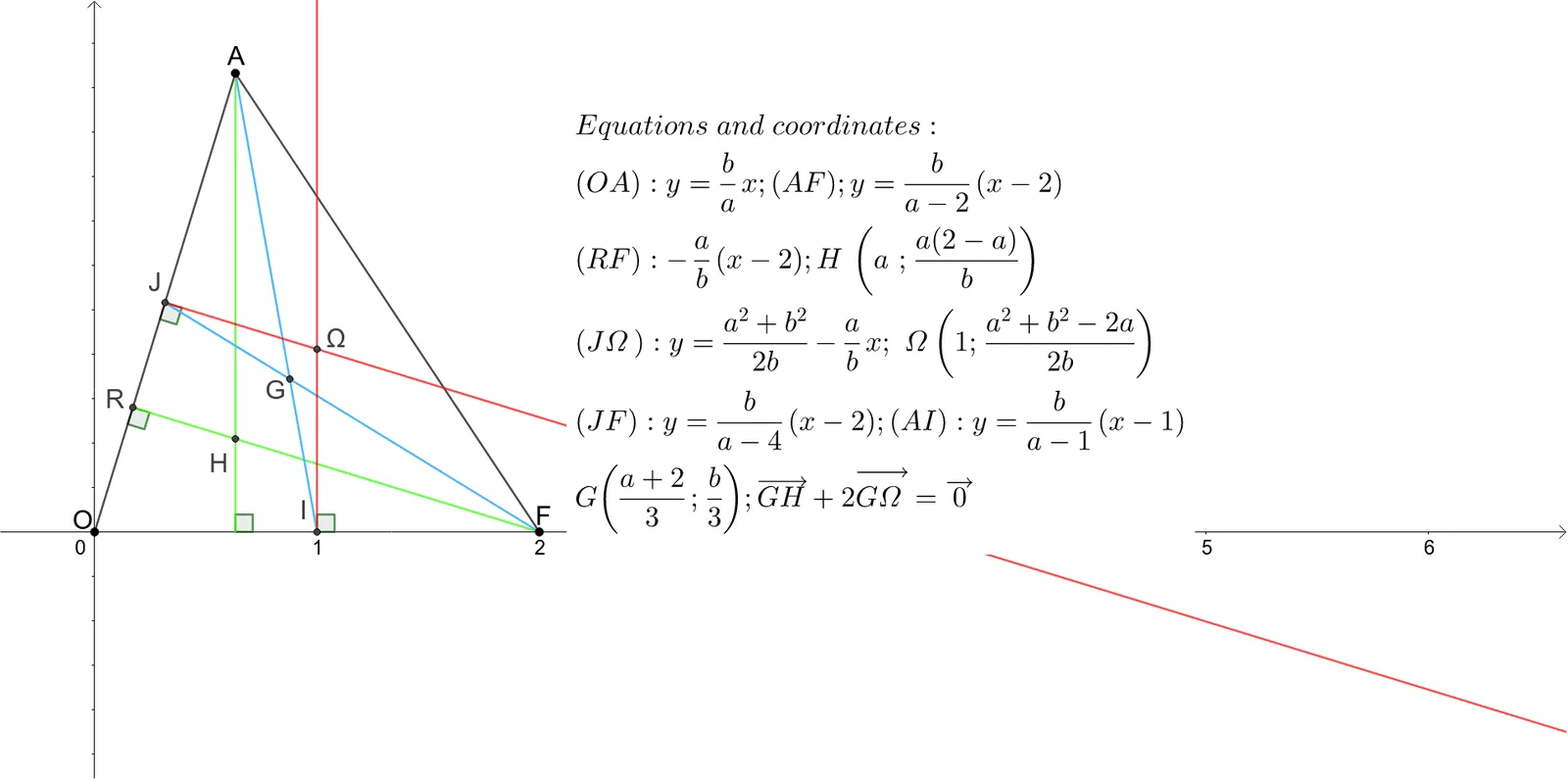
Loading the math board and drawing, please wait…
This example demonstrates the construction of the Euler line using GeoGebra, showing how the circumcenter, centroid, and orthocenter of a triangle are collinear. It involves core mathematical concepts such as triangle centers, line intersections, angle measurements, midpoints, and angle bisectors. The construction uses commands like Segment, OrthogonalLine, Intersect, Angle, Midpoint, LineBisector, and Ray to create the triangle and its centers, with Intersect to find the points of concurrency. Suitable for high school mathematics education to understand key triangle properties and geometric constructions.
GeoGebra Commands & Parameters
Segment(O, A) → fSegment(A, F) → gSegment(b, A) → hSegment(A, a) → iOrthogonalLine(F, f) → jIntersect(f, j) → RAngle(O, R, F) → αSegment(R, F) → kIntersect(i, k) → HIntersect(l, k) → CMidpoint(A, O) → JLineBisector(A, O) → mIntersect(l, m) → ΩAngle(O, J, Ω) → γSegment(A, I) → nSegment(J, F) → pIntersect(n, p) → GAngle(I, a, H) → δAngle(F, I, Ω) → βRay(J, Ω) → qRay(I, Ω) → r
AI Drawing Prompt Reference
Draw a triangle and find its circumcenter, centroid, and orthocenter to demonstrate that they are collinear. Start by drawing the triangle's sides, then find the perpendicular bisectors of each side to locate the circumcenter. Connect each vertex to the centroid and find the orthocenter. Finally, draw lines between the centroid and circumcenter, and between the centroid and orthocenter, showing they are collinear, and label the circumcenter, centroid, and orthocenter.
The prompt above was compiled from the original drawing commands and is for reference only.