
Ellipse with Foci and Eccentricity
Loading the math board and drawing, please wait…
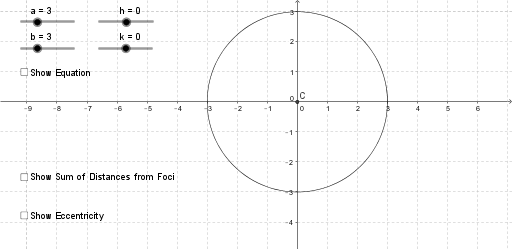
① This example visualizes an ellipse defined by its two foci and eccentricity, allowing users to adjust sliders to see how the shape changes in real time. ② The core mathematical concepts include the definition of an ellipse (the set of points in a plane whose distances to two fixed points sum to a constant), eccentricity e = c/a, semi‑major axis a, semi‑minor axis b, focal distance c, and related coordinate‑geometry properties. ③ Construction highlights: Point objects create the foci F1, F2 and the center C; Segment objects connect key points; the If command dynamically generates the locus of ellipse points based on slider values a, b, c; Slider objects control parameters a, b, c, e for interactive animation; Text objects display current values. ④ Suitable for high‑school and above students studying analytic geometry and conic sections, as well as for classroom demonstrations and self‑directed exploration.
GeoGebra Commands & Parameters
If(a ≠ b, If[a > b, (x(C) - f_1, y(C)), (x(C), y(C) + f_1)]) → F_1If(a ≠ b, If[a ≥ b, (x(C) + f_1, y(C)), (x(C), y(C) - f_1)]) → F_2Point(c) → PIf(a ≠ b, If[a ≥ b, (x(C) - a, y(C)), (x(C), y(C) + b)]) → V_1If(a ≠ b, If[a ≥ b, (x(C) + a, y(C)), (x(C), y(C) - b)]) → V_2Segment(If[a ≠ b, F_1, C], P) → d_1Segment(P, If[a ≠ b, F_2, C]) → d_2Segment(C, F_2) → fSegment(C, V_1) → d
AI Drawing Prompt Reference
Draw an interactive ellipse showing its center, two foci, major and minor axis vertices, and a movable point on the curve with segments to both foci; include sliders for semi‑major axis a, semi‑minor axis b, focal distance c, and eccentricity e that dynamically update the ellipse shape, focus positions, vertex coordinates, and segment lengths in real time as the user adjusts each parameter, keeping all geometric relationships consistent.
The prompt above was compiled from the original drawing commands and is for reference only.