
Ellipse by Folding Paper
Loading the math board and drawing, please wait…
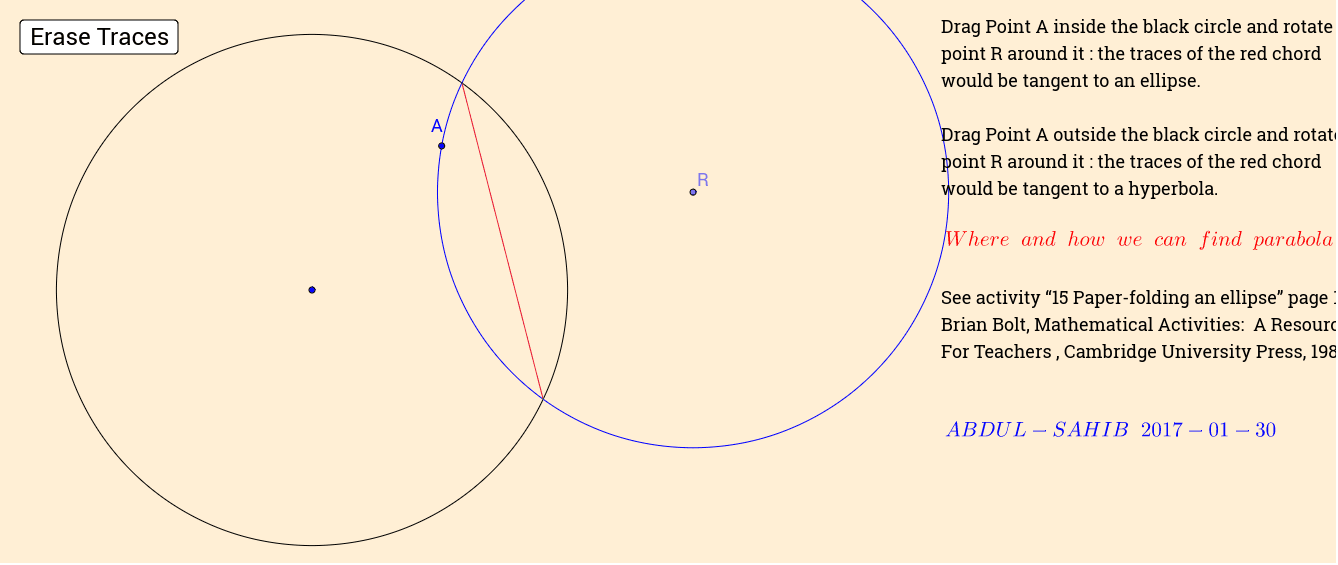
This example demonstrates constructing an ellipse through the method of paper folding, illustrating the geometric principles behind its definition and symmetry. It involves core mathematical concepts such as the definition of an ellipse, properties of circles, and symmetry. The construction uses GeoGebra commands like Ray, Point, Circle, Segment, and Intersect. Suitable for high school mathematics education or exploration by math enthusiasts.
GeoGebra Commands & Parameters
Ray(A_1, B) → ePoint(e) → ACircle(A_1, B) → cPoint(Circle[A, Distance[A_1, B]]) → RSegment(A, R) → aCircle(R, A) → dIntersect(c, d) → E, F, ,Segment(E, F) → b
AI Drawing Prompt Reference
Start with a fixed point and draw a ray from it. Choose a moving point on the ray. Draw a circle centered at the fixed point passing through another point on the ray. Then draw a second circle centered at the moving point with radius equal to the distance from the fixed point to that other point, and pick a point on this second circle. Connect the moving point to this picked point with a segment. Next, draw a circle centered at the picked point passing through the moving point, intersecting the first circle at two points. Connect these two intersection points with a segment, which together with the previous segment illustrates the symmetry in the paper-folding construction of an ellipse.
The prompt above was compiled from the original drawing commands and is for reference only.