
Ellipse and Circle: Parametric Equations and Symmetry Exploration
Loading the math board and drawing, please wait…
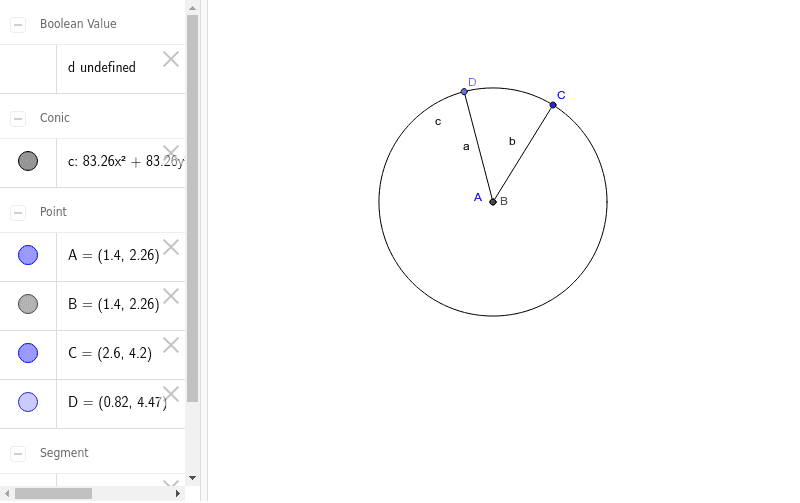
This GeoGebra example demonstrates how to construct an ellipse and explore its relationship with circles through parametric equations, focusing on the symmetric properties of ellipses. Key mathematical concepts include ellipse standard equations, parametric curve representation, the connection between circles and ellipses, and geometric properties of ellipse tangents. Construction details: Use the Ellipse command to draw the ellipse, define key control points (A, B, C, D) with Point commands, connect relevant segments using the Segment command, and verify AreEqual relationships between points on the ellipse and corresponding points on the circle to demonstrate symmetry about coordinate axes and the origin. This example is suitable for high school students studying analytic geometry, useful for understanding parametric equation construction, verifying ellipse symmetry properties, and mastering geometric construction of ellipse tangents.
GeoGebra Commands & Parameters
Ellipse(A, B, C) → cPoint(c) → DSegment(D, A) → aSegment(C, A) → bProve(a ≟ b) → dAreEqual(a, b) →
AI Drawing Prompt Reference
Draw an ellipse with two foci. Place a moving point on the ellipse. Connect this point to one focus, and also connect the two foci. Verify that the two segments have equal lengths, demonstrating the ellipse's symmetry about the axes and origin. The figure should include the ellipse, foci, the moving point, and the connecting segments, with the equal-length segments highlighted.
The prompt above was compiled from the original drawing commands and is for reference only.