
Dynamic Unit Circle Reference
Loading the math board and drawing, please wait…
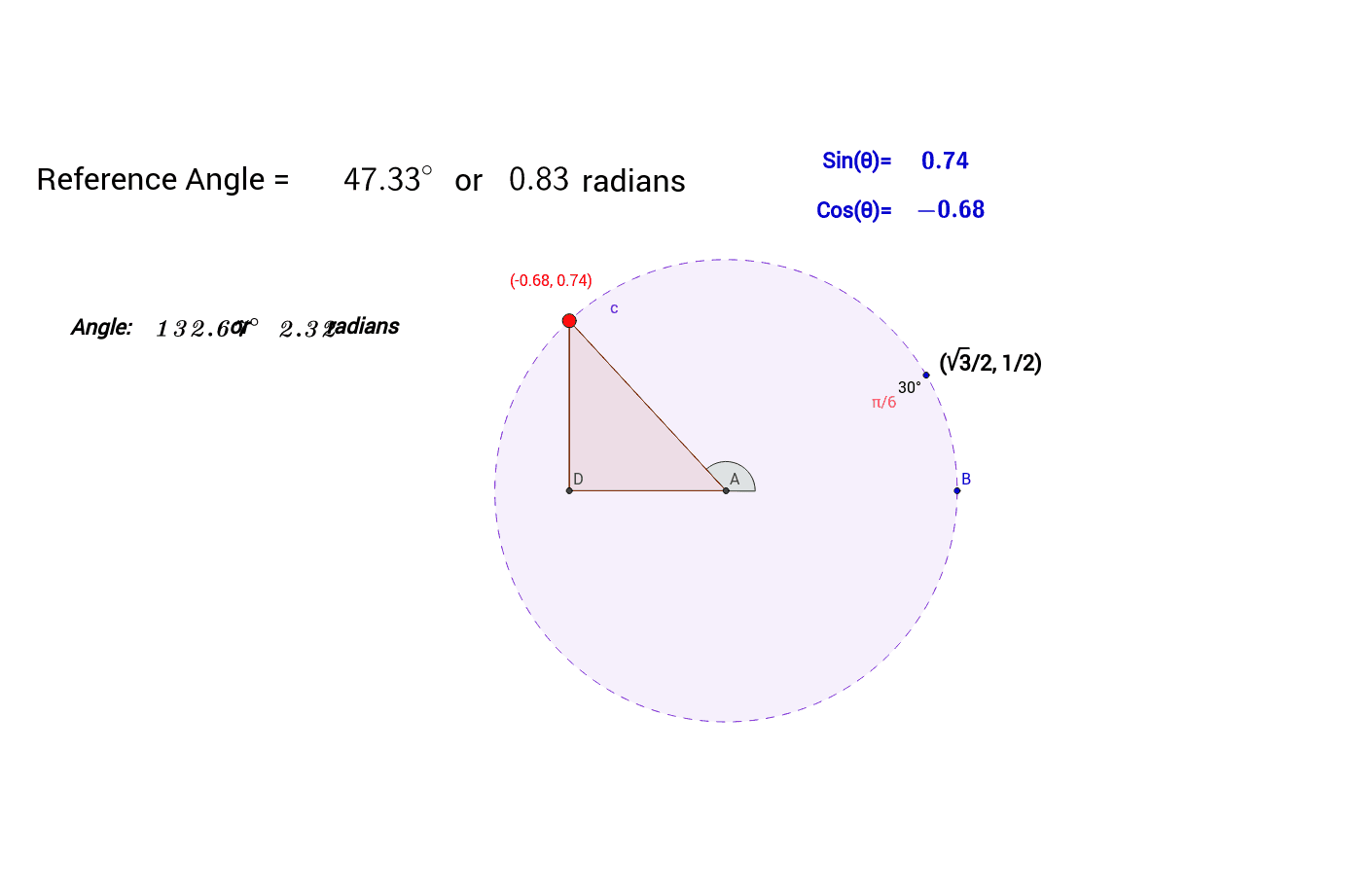
This example demonstrates the dynamic construction of a unit circle reference. Key mathematical concepts include circle, unit circle, integers, conic sections, arithmetic mean, symmetry, and arithmetic. Using GeoGebra commands such as Intersect, Circle, Rotate, Point, etc., a dynamic unit circle can be constructed. Suitable for high school geometry education.
GeoGebra Commands & Parameters
Intersect(xAxis, yAxis) → ACircle(A, B) → cRotate(B, 30*°, A) → B'Point(c) → CSegment(A, C) → aOrthogonalLine(C, xAxis) → bIntersect(b, xAxis) → DSegment(A, D) → dSegment(C, D) → ePolygon(A, C, D) → poly1, d_1, a_1, c_1Angle(B, A, C) → βLaTeX(β) → refLaTeX(f) → text6LaTeX(sin(β)) → text11LaTeX(cos(β)) → text12If(0 < f < π / 2, f, If[π / 2 < f < π, π - f, If[π < f < (3 * π / 2), f - π, If[(3 * π / 2) < f < (2 * π), (2 * π) - f]]]) → ReferenceLaTeX(Reference) → text5LaTeX(α) → text15
AI Drawing Prompt Reference
Draw a unit circle and mark a point on it. From this point, draw a line segment at a 30-degree angle to the positive x-axis. Connect this point to the circle's center to form a triangle. Label the angle in the triangle and display its sine and cosine values next to it. Based on the angle value, indicate the reference position on the circle corresponding to the radian measure and display this value.
The prompt above was compiled from the original drawing commands and is for reference only.