
Dynamic Unit Circle Reference: Geometric Construction and Parameter Exploration
Loading the math board and drawing, please wait…
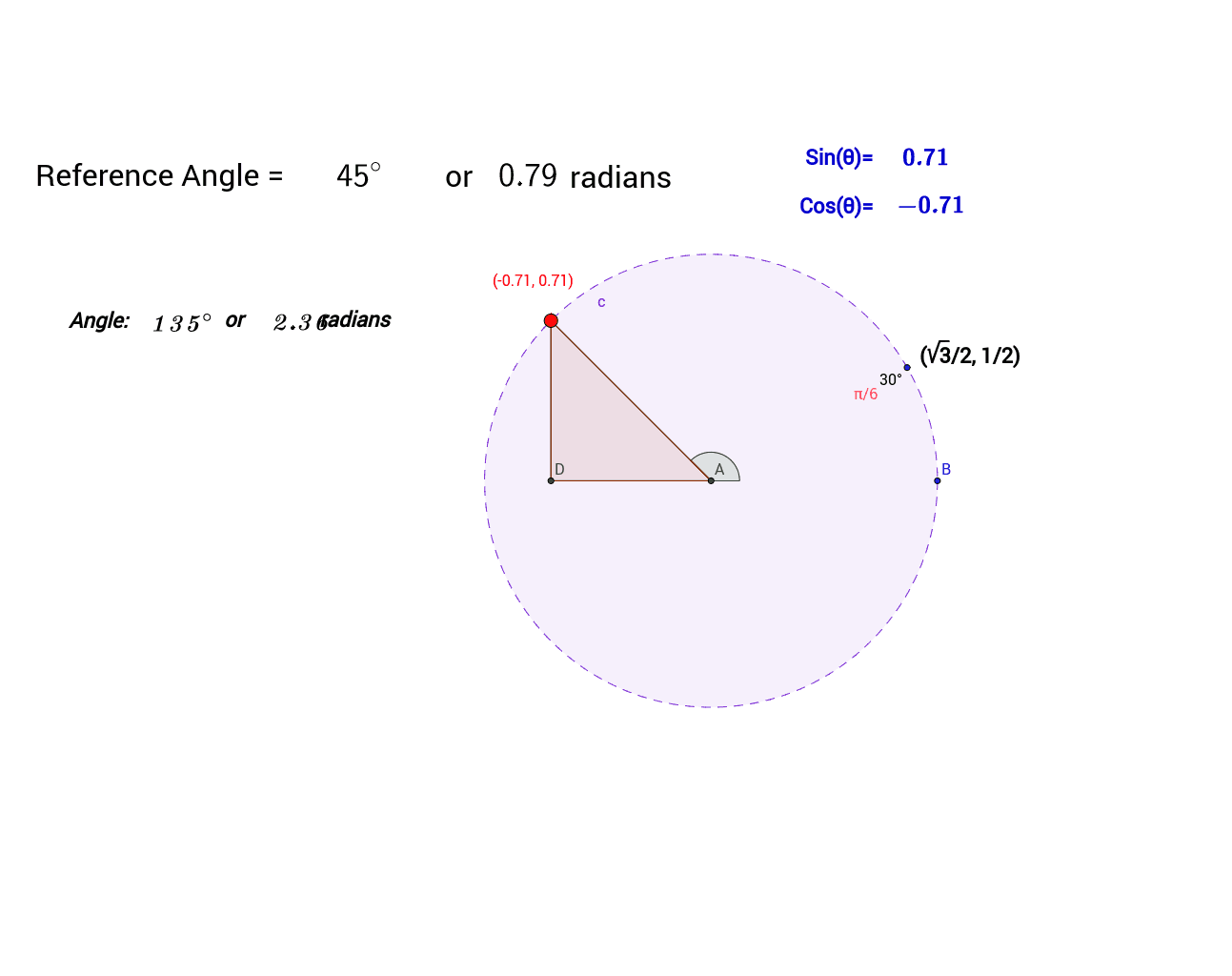
This example demonstrates how to observe the geometric properties of the unit circle by dynamically adjusting parameters. The key mathematical concepts involved include circle properties, parametric equations, and geometric transformations. Construction points include using GeoGebra commands such as Intersect, Circle, Rotate, etc. to create circles and related figures. Suitable for middle school students and above for learning geometric transformations and parametric plotting.
GeoGebra Commands & Parameters
Intersect(xAxis, yAxis) → ACircle(A, B) → cRotate(B, 30*°, A) → B'Point(c) → CSegment(A, C) → aOrthogonalLine(C, xAxis) → bIntersect(b, xAxis) → DSegment(A, D) → dSegment(C, D) → ePolygon(A, C, D) → poly1, d_1, a_1, c_1Angle(B, A, C) → βLaTeX(β) → refLaTeX(f) → text6LaTeX(sin(β)) → text11LaTeX(cos(β)) → text12If(0 < f < π / 2, f, If[π / 2 < f < π, π - f, If[π < f < (3 * π / 2), f - π, If[(3 * π / 2) < f < (2 * π), (2 * π) - f]]]) → ReferenceLaTeX(Reference) → text5LaTeX(α) → text15
AI Drawing Prompt Reference
Draw a dynamic unit circle reference diagram. The diagram should include a unit circle, a rotated point, a point on the circle related to the rotated point, a line segment perpendicular to the x-axis, a triangle formed by connecting these points, and an angle annotation. The construction order should be: first draw the unit circle, then determine the rotated point and rotate it by 30 degrees. Next, find the point on the circle related to the rotated point. Then, draw the perpendicular line segment to the x-axis and determine its intersection with the x-axis. Finally, connect these points to form the triangle and annotate the angle.
The prompt above was compiled from the original drawing commands and is for reference only.