
Dynamic Unit Circle Reference by Brian Gervase
Loading the math board and drawing, please wait…
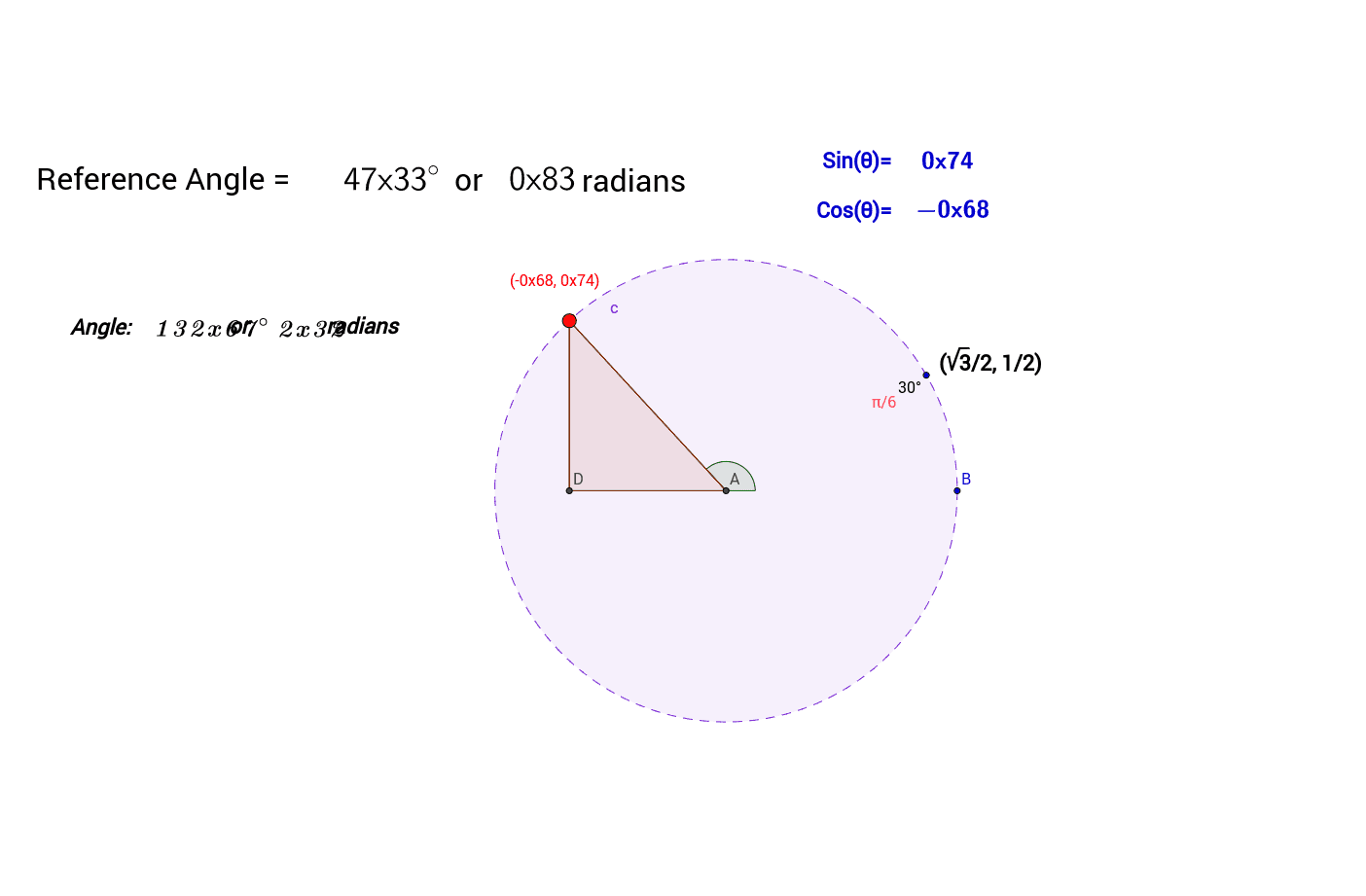
This example demonstrates the dynamic unit circle and its related geometric transformations and properties. It involves core mathematical concepts such as the unit circle, reflection, means, power functions, special points, parabola, and trigonometry. The construction utilizes GeoGebra commands and objects like Intersect (intersection), Circle (drawing circles), Rotate (rotation), Point (creating points), Segment (drawing segments), OrthogonalLine (perpendicular lines), Polygon (creating polygons), Angle (angle measurement), LaTeX (formulas), and If (conditional statements). It is suitable for high school and above students learning about the application of the unit circle in analytical geometry, trigonometry, and geometric transformations.
GeoGebra Commands & Parameters
Intersect(xAxis, yAxis) → ACircle(A, B) → cRotate(B, 30*°, A) → B'Point(c) → CSegment(A, C) → aOrthogonalLine(C, xAxis) → bIntersect(b, xAxis) → DSegment(A, D) → dSegment(C, D) → ePolygon(A, C, D) → poly1, d_1, a_1, c_1Angle(B, A, C) → βLaTeX(β) → refLaTeX(f) → text6LaTeX(sin(β)) → text11LaTeX(cos(β)) → text12If(0 < f < π / 2, f, If[π / 2 < f < π, π - f, If[π < f < (3 * π / 2), f - π, If[(3 * π / 2) < f < (2 * π), (2 * π) - f]]]) → ReferenceLaTeX(Reference) → text5LaTeX(α) → text15
AI Drawing Prompt Reference
Draw a unit circle and display its related geometric transformations and properties. Start with the coordinate origin, draw the coordinate axes, and then draw a unit circle centered at the origin through a point. Rotate this point around the origin by 30 degrees to get a new point. Find the corresponding point on the unit circle and connect the origin to this point to form a line segment. Then, draw a perpendicular line from this point to the x-axis, and connect the intersection point with the origin to form another line segment. Connect these three points to form a triangle, label the angle and trigonometric values, and display different reference values based on the angle value.
The prompt above was compiled from the original drawing commands and is for reference only.