
Dynamic Demonstration of Circle Circumference and Arc Length
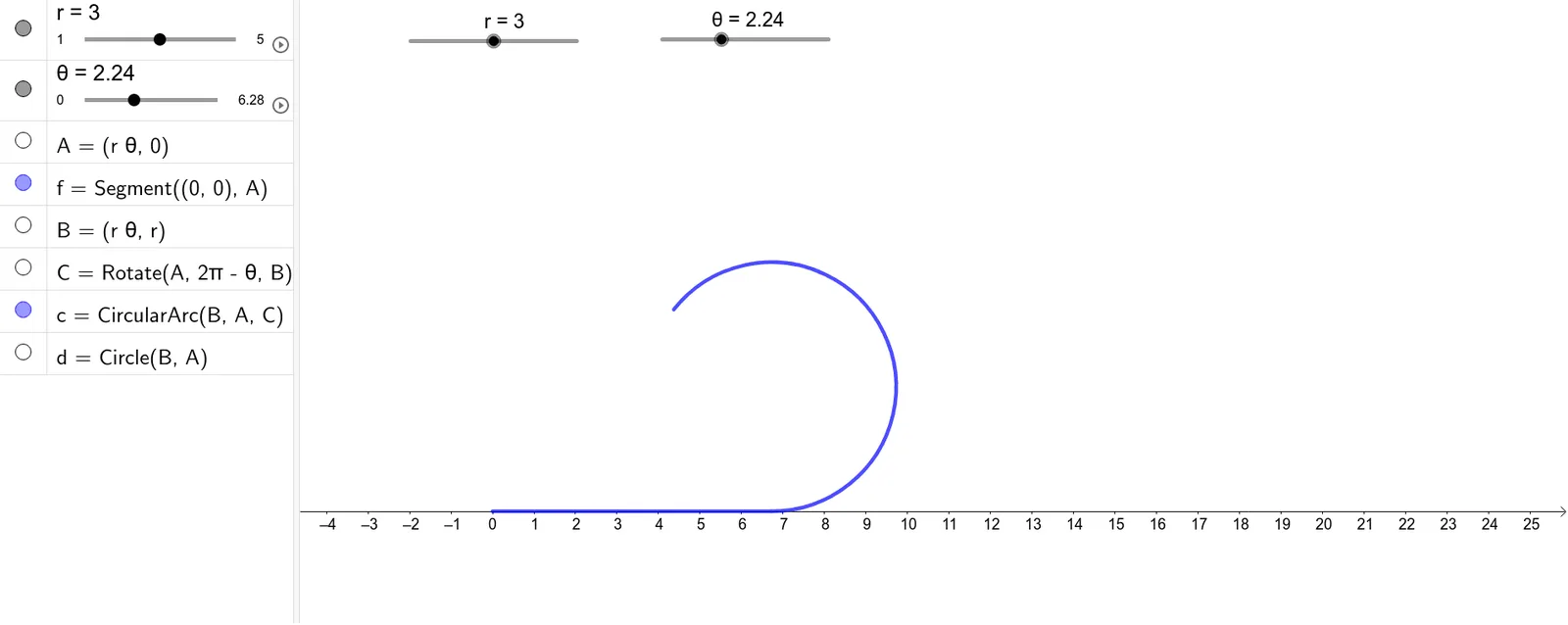
This GeoGebra example dynamically demonstrates the relationship between circle circumference, arc length, radius r, and central angle θ using construction commands including Segment, Rotate, CircleArc, and Circle. Users can adjust radius and angle parameters via sliders to observe real-time changes in arc length, providing an intuitive understanding of the circumference formula C=2πr and the arc length formula l=rθ. The applet visually highlights how the arc length grows proportionally with both the radius and the central angle, reinforcing the geometric meaning behind these fundamental formulas. Students can manipulate the sliders to explore different scenarios, such as comparing semicircles and quarter-circles, or investigating how a full rotation corresponds to an angle of 2π radians. This interactive exploration helps learners connect abstract algebraic formulas with concrete geometric representations, building a strong quantitative intuition about the relationship between circular motion and angle measurement. The applet is designed for middle school to high school geometry instruction, supporting both introductory lessons on circles and more advanced discussions involving radian measure and proportional reasoning. By allowing hands-on experimentation, it encourages inquiry-based learning and deepens conceptual understanding beyond rote memorization of formulas.
Loading the math board and drawing, please wait…