
Discovering Trig Ratios in a Right Triangle
Loading the math board and drawing, please wait…
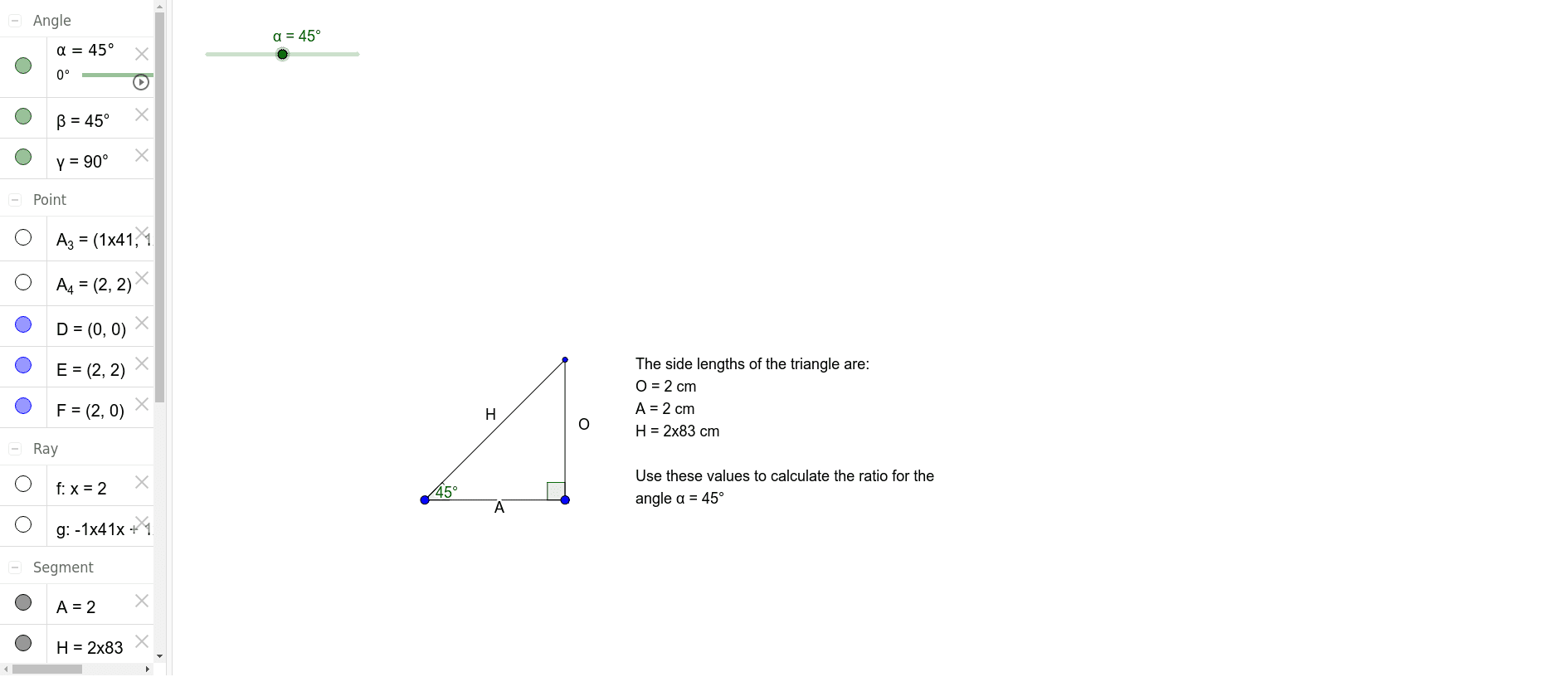
① This interactive GeoGebra example allows users to change the acute angle of a right-angled triangle and dynamically observe how the trigonometric ratios (sine, cosine, tangent) vary with the angle. ② The core mathematical concepts are the definitions of trigonometric ratios as side ratios in a right triangle, and the functional relationship between angle measure and these ratios. ③ Construction highlights: using GeoGebra commands such as Segment, Rotate, Ray, and Intersect to build the triangle, with Angle objects (α, β, γ) to label angles, a slider to control the angle, and text1 to display the computed ratios in real time. ④ It is suitable for middle school or early high school students learning introductory trigonometry, and for teachers demonstrating the geometric meaning of trig ratios in a dynamic classroom setting.
GeoGebra Commands & Parameters
Segment(D, F) → ARotate(F, α, D) → A_3Angle(F, D, A_3) → βRotate(D, (-(90°)), F) → A_4Angle(A_4, F, D) → γRay(F, A_4) → fRay(D, A_3) → gIntersect(f, g) → ESegment(F, E) → OSegment(E, D) → H
AI Drawing Prompt Reference
Draw a right triangle with one leg horizontal and the other vertical. Place a slider at the endpoint of the horizontal leg to adjust the acute angle. From that endpoint, draw a ray along the hypotenuse direction, and from the other endpoint, draw a vertical ray upward. The intersection of these two rays forms the third vertex. Connect the three vertices to form the triangle, and label the three interior angles, marking the right angle as 90 degrees and the other two with Greek letters. Display the sine, cosine, and tangent values next to the triangle, updating dynamically as the angle changes.
The prompt above was compiled from the original drawing commands and is for reference only.