
Discovering the Properties of a Kite
Loading the math board and drawing, please wait…
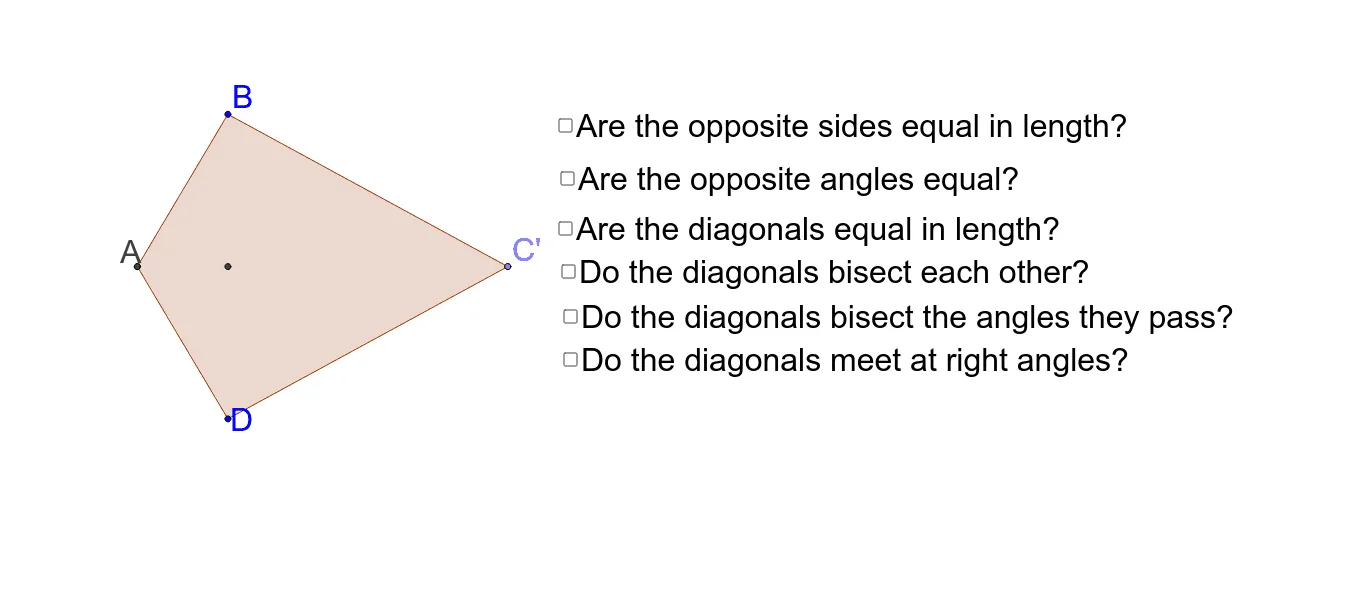
① This interactive GeoGebra applet demonstrates the geometric properties of a kite (a quadrilateral with two pairs of adjacent equal sides). Users can drag vertices to resize the kite and explore one property at a time. ② Core mathematical concepts include the definition of a kite, perpendicular diagonals, symmetry axis, equal angles, and transformations such as reflection and rotation. ③ The construction uses GeoGebra commands: Intersect, Point, Line, Polygon, Mirror, Angle, and Segment, creating points A, B, C, D and reflected points A', C', along with multiple polygons (poly1, poly1', poly2) and auxiliary segments, with angles α, β, γ, δ labeled for investigation. ④ Suitable for middle school to high school students learning plane geometry, ideal for classroom inquiry or self-discovery of kite properties, and useful for teaching geometric transformations.
GeoGebra Commands & Parameters
Intersect(xAxis, yAxis) → APoint(xAxis) → CLine(A, C) → aPolygon(A, B, C) → poly1, c, a_1, bMirror(A, b) → A'Mirror(B, b) → DMirror(C, b) → C'Polygon(A', D, C') → poly1', c', a', b'Polygon(A, B, C, D) → poly2, a_2, b_1, c_1, b'_1Angle(A, B, C) → αAngle(C, D, A) → βAngle(D, A, B) → γAngle(B, C, D) → δSegment(A, C) → fLine(B, D) → gLine(A, C) → hIntersect(a, g) → D_1Segment(B, D_1) → iSegment(D_1, D) → jSegment(A, D_1) → kSegment(D_1, C) → lSegment(B, D_1) → mSegment(D_1, D) → pSegment(D_1, A) → qAngle(C, D_1, B) → εAngle(B, D_1, A) → ζAngle(A, D_1, D) → ηAngle(D, D_1, C) → θAngle(D_1, B, C) → ιAngle(C, D, D_1) → κAngle(D_1, D, A) → λAngle(D, A, D_1) → μAngle(D_1, A, B) → νAngle(A, B, D_1) → ξAngle(B, C, D_1) → οAngle(D_1, C, D) → ρSegment(B, D) → sPolygon(A, B, C, D) → poly3, a_3, b_2, c_2, d_1Segment(A, C) → e_1Segment(D, B) → f_1Segment(A, C) → rSegment(B, D) → g_1