
Discovering Area of a Triangle
Loading the math board and drawing, please wait…
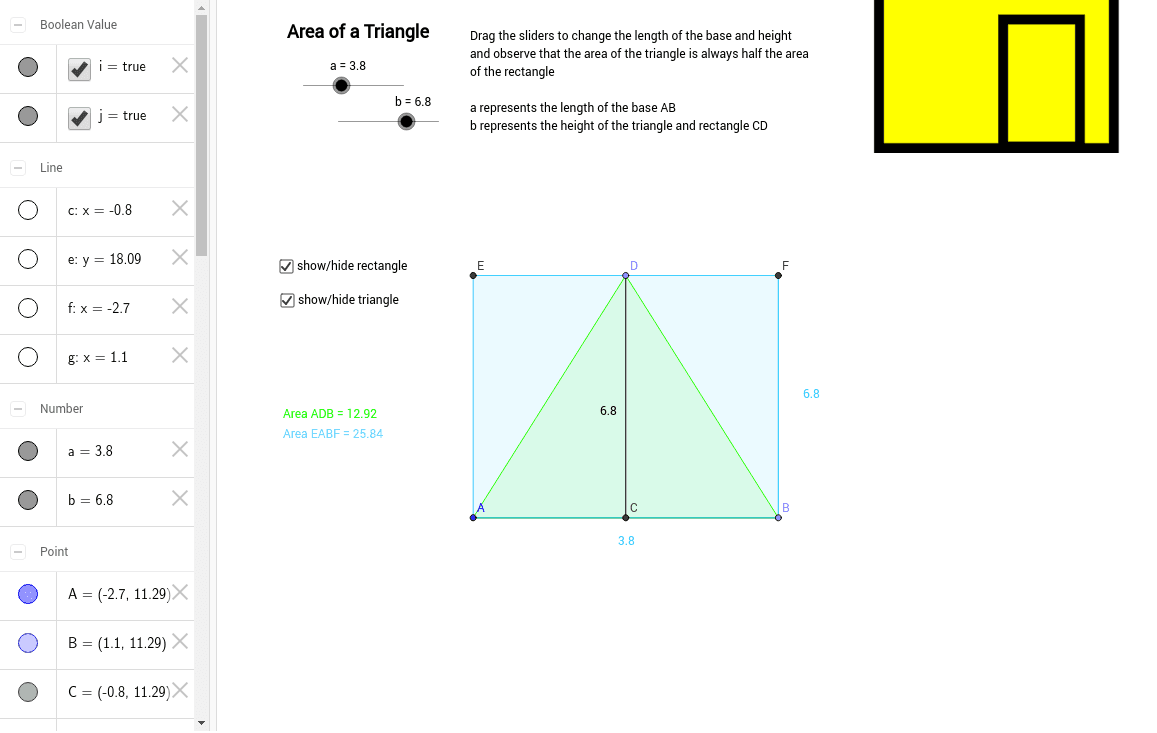
This applet uses sliders to demonstrate how the area of a triangle relates to a corresponding rectangle. Students can explore this relationship by filling out a chart. Key math concepts include triangle area, rectangle area, midpoint, orthogonal line, etc. The construction utilizes GeoGebra commands and objects like Point, Segment, Midpoint, OrthogonalLine, Polygon, and Intersect. Suitable for middle school and above students to understand geometric properties and relationships.
GeoGebra Commands & Parameters
Point(Circle[A, a]) → BSegment(A, B) → b_1Midpoint(b_1) → COrthogonalLine(C, b_1) → cPolygon(A, D, B) → poly1, b_2, a_1, dOrthogonalLine(D, c) → eOrthogonalLine(A, e) → fOrthogonalLine(B, e) → gIntersect(e, f) → EIntersect(e, g) → FPolygon(E, A, B, F) → poly2, e_1, a_2, b_3, f_1Segment(D, C) → h
AI Drawing Prompt Reference
Draw a triangle and adjust its size using a slider. Start by creating a point B on a circle and connecting it to point A to form line segment b1. Then find the midpoint C of b1 and draw a perpendicular line c through C. Use point A and line c to create a rectangle, and draw perpendicular lines e through point D, f through A, and g through B. Find the intersections of lines e and f, and e and g to get points E and F, and finally use points E, A, B, and F to form a quadrilateral.
The prompt above was compiled from the original drawing commands and is for reference only.