
Dilation of Line Segment: Find Scale Factor
Loading the math board and drawing, please wait…
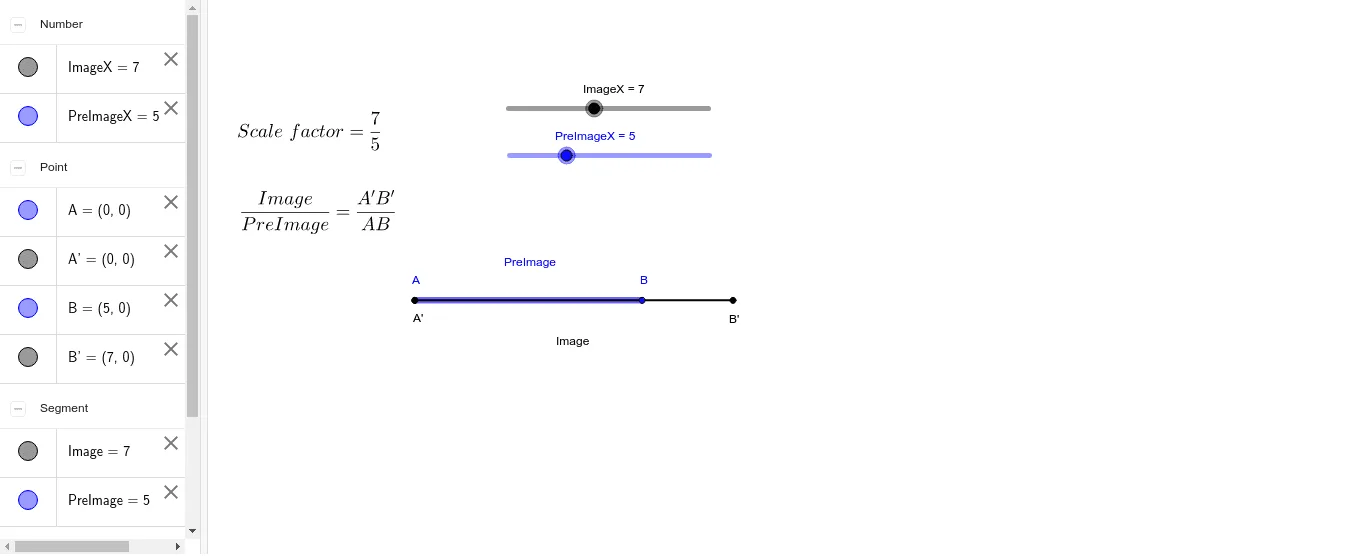
This GeoGebra example demonstrates how to construct a line segment and its dilated image, allowing students to determine the scale factor by comparing the lengths of the pre-image and image. The core mathematical concept is dilation (homothety) in geometry, involving proportional relationships, similarity, and the property that corresponding points lie on lines through the center of dilation. Construction details: the Segment command is used to create segment PreImage (with endpoints A and B) and segment Image (with endpoints A' and B'), and text objects text1 and text2 display measurements or ratios. By dragging endpoints or sliders, learners can dynamically observe how the scale factor changes. This resource is suitable for middle school or high school geometry lessons on similarity and transformations, and can be used for teacher demonstrations or student self-exploration.
GeoGebra Commands & Parameters
Segment(A, B) → PreImageSegment(A', B') → Image