
Dilation of an Image with Movable Center and Slider
Loading the math board and drawing, please wait…
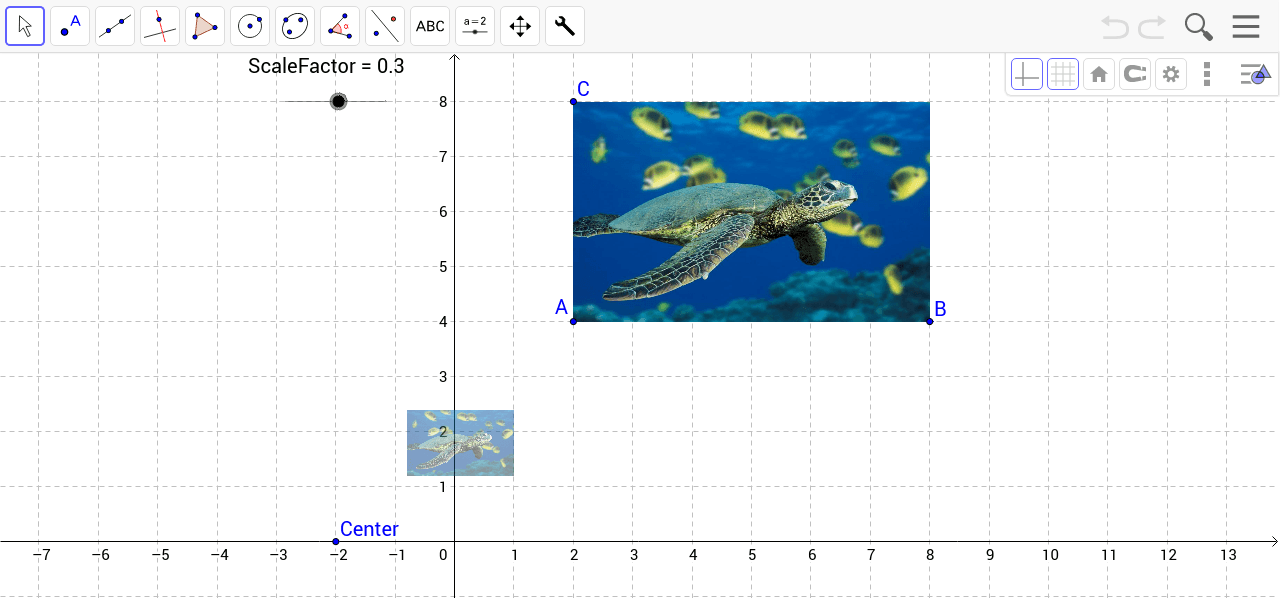
This interactive GeoGebra example demonstrates the dilation (scaling) of an image using a slider to control the scale factor, with a movable center of dilation. Users can drag the center point and adjust the slider to see how the image enlarges, shrinks, and shifts relative to the center. The core mathematical concept is dilation, a similarity transformation where every point moves along a line through the center, with distances multiplied by a constant factor. The construction uses the Dilate command on a picture object (pic1), with reference points A, B, C, a movable Center, and a ScaleFactor slider, producing the dilated image pic1'. This resource is suitable for middle school and high school students learning geometric transformations, as well as for teachers demonstrating the properties of dilation, including the role of the center and scale factor, and the collinearity of corresponding points with the center.
GeoGebra Commands & Parameters
Dilate(pic1, ScaleFactor, Center) → pic1'
AI Drawing Prompt Reference
Create an interactive geometry figure showing a dilation of an image. Place a picture, add a draggable center point, and add a slider that controls the scale factor. Scale the picture about the center using the slider value to produce a transformed image. When the center is moved or the slider changes, the transformed image enlarges, shrinks, and shifts relative to the center, while corresponding points of the original and transformed image remain collinear with the center.
The prompt above was compiled from the original drawing commands and is for reference only.