
Dilation Grid 2: Interactive Polygon Scaling Practice
Loading the math board and drawing, please wait…
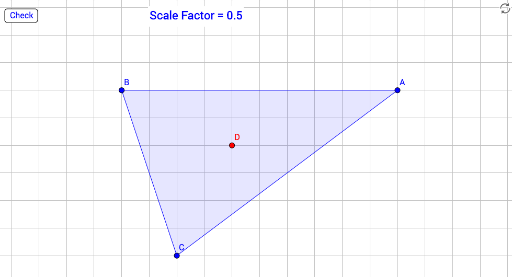
This GeoGebra example demonstrates a dilation (scaling) transformation of a polygon on a grid, controlled by a slider for the scale factor. It visually compares the original polygon with its dilated image and a target polygon, allowing users to explore how the shape changes proportionally while maintaining its form. Core mathematical concepts include dilation, similarity, and scale factor. The construction uses the Polygon command to create the original polygon, the Dilate command to generate the scaled polygon with a specified center and factor, and interactive elements such as buttons and text objects for checking correctness. Suitable for middle school to high school students learning geometric transformations, this example serves as an interactive exercise for understanding dilation properties and proportional reasoning, and can be used in classroom demonstrations or self-paced practice.
GeoGebra Commands & Parameters
Polygon(A, B, C) → poly1, c, a, bDilate(A, scaleFactor, D) → A'Dilate(B, scaleFactor, D) → B'Dilate(C, scaleFactor, D) → C'Polygon(A', B', C') → targetPoly, c', a', b'