
Dilation Coordinate Grid 2
Loading the math board and drawing, please wait…
In collections
Dilations
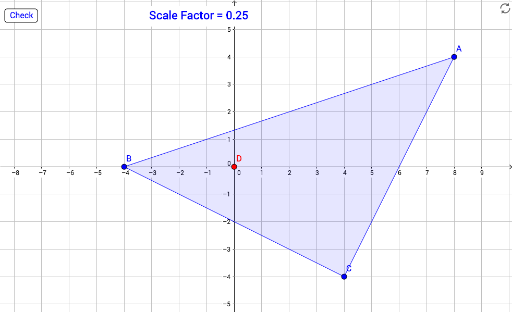
This GeoGebra example demonstrates a dilation (scaling) transformation of a triangle on a coordinate grid. Users can adjust a scale factor slider to see how the original triangle and its dilated image change, with corresponding vertices and side lengths displayed. The core mathematical concepts include dilation, similarity, proportional scaling, and coordinate geometry. The construction uses the Polygon command to create the original triangle (poly1) and the Dilate command to generate the target triangle (targetPoly) from it. A slider (scaleFactor) controls the scaling ratio, and a button (button1) allows checking answers, with correctText and wrongText providing feedback. Objects include the original triangle's sides (a, b, c) and their dilated counterparts (a', b', c'), as well as vertices A, B, C and A', B', C'. This resource is suitable for middle or high school students learning about transformations, similarity, and coordinate geometry, and can be used for interactive practice or self-guided exploration of scaling effects.
GeoGebra Commands & Parameters
Polygon(A, B, C) → poly1, c, a, bDilate(A, scaleFactor, D) → A'Dilate(B, scaleFactor, D) → B'Dilate(C, scaleFactor, D) → C'Polygon(A', B', C') → targetPoly, c', a', b'