
Determining the Equation of a Line Through Two Points
Loading the math board and drawing, please wait…
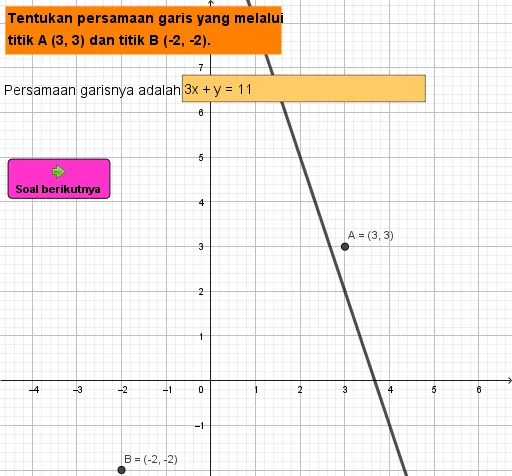
This example demonstrates how to determine the equation of a line passing through two points. The core mathematical concepts involved include coordinate geometry and the solution of linear equations. Key GeoGebra commands used in the construction are Random for generating random points, Line for drawing the line, Textfield and InputBox1 for creating text input fields, and button1 for interactive operations. It is suitable for high school students learning coordinate geometry and solving linear equations, and can be used for classroom demonstrations and problem-solving.
GeoGebra Commands & Parameters
Random(-2, 7) → bRandom(-2, 5) → aRandom(-2, 7) → dRandom(-2, 8) → cLine(A, B) → fTextfield(g) → InputBox1
AI Drawing Prompt Reference
On a coordinate plane, create four random points with coordinates chosen within the given ranges: two of them will define a line, and the other two will remain as additional reference points. First randomly generate the two points that will serve as endpoints, then draw the line passing through them. Keep the remaining two points visible alongside the line. Add an editable text input field so the user can enter or display the equation of the drawn line. Arrange the construction in the order: first the points, then the line, then the input box.
The prompt above was compiled from the original drawing commands and is for reference only.