
Deriving Right Triangle Area from Rectangle Area
Loading the math board and drawing, please wait…
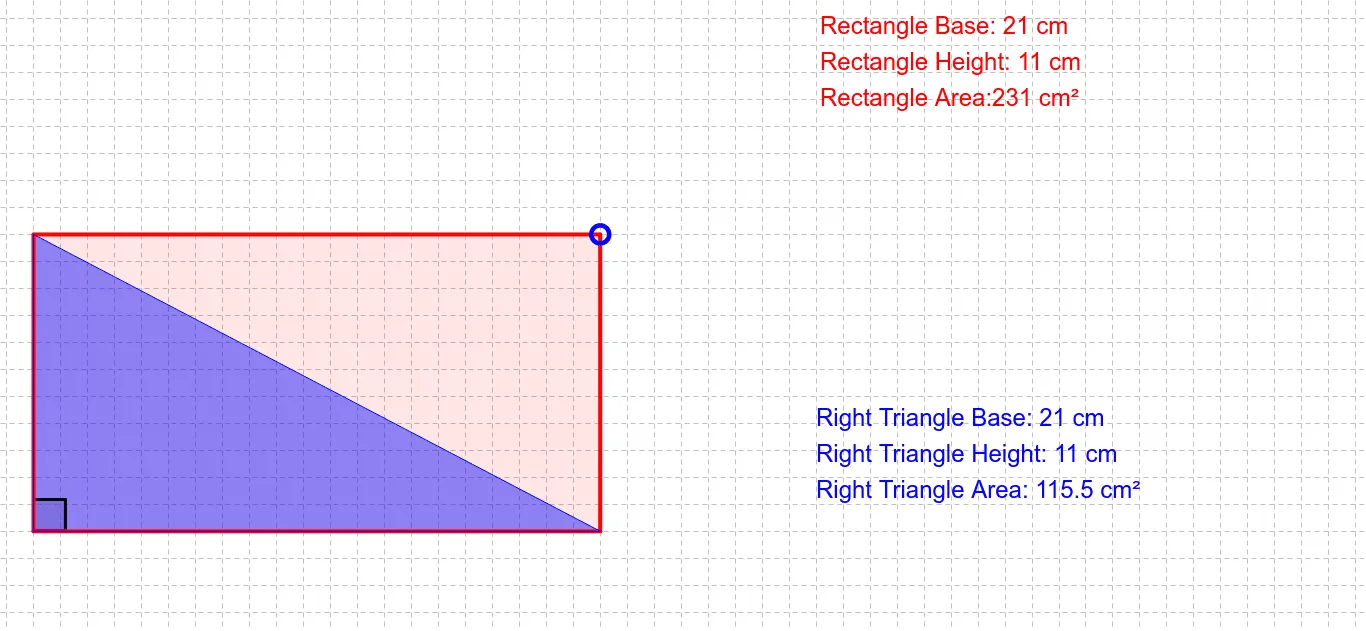
This GeoGebra applet helps students develop a formula for the area of a right triangle by comparing and relating it to the area of rectangles. Learners visually explore how changing side lengths while keeping a right angle leads to an area relationship between the two shapes, emphasizing the same “base and height” idea. Key concepts include plane geometry area measurement, right-triangle geometry, and matching areas to algebraic terms. In the construction, the polygons (e.g., poly1 and poly2) are created using the Polygon command to form the relevant regions, while the Angle command and angle objects (α, β) are used to establish/mark the right-angle structure. Named vertices and parameters (A, B, C, D; a, b, c, d, e, f; a_1) support the segment/side-length relationships, and text labels (text1, text2) summarize the observed area correspondences. Suitable for middle and high school geometry classes, classroom demonstration, and guided inquiry where students learn the “why” behind the right-triangle area formula.
GeoGebra Commands & Parameters
Polygon((0, 0), (x(A), 0), A, (0, y(A))) → poly1, b, c, a_1, dPolygon((0, 0), (x(A), 0), (0, y(A))) → poly2, a, e, fAngle(B, D, C) → αAngle(C, D, B) → β
AI Drawing Prompt Reference
Draw a right triangle with its right angle at the origin, legs along the horizontal and vertical axes. Complete a rectangle using the triangle's two legs as two sides, so the triangle's hypotenuse becomes a diagonal of the rectangle. Shade the triangle and the remaining rectangle area in different colors, and mark the right angle. Add text labels noting that the triangle's area is half the rectangle's area, and that both share the same base and height.
The prompt above was compiled from the original drawing commands and is for reference only.