
Demonstration of the Orthocenter by Hannah Carrithers
Loading the math board and drawing, please wait…
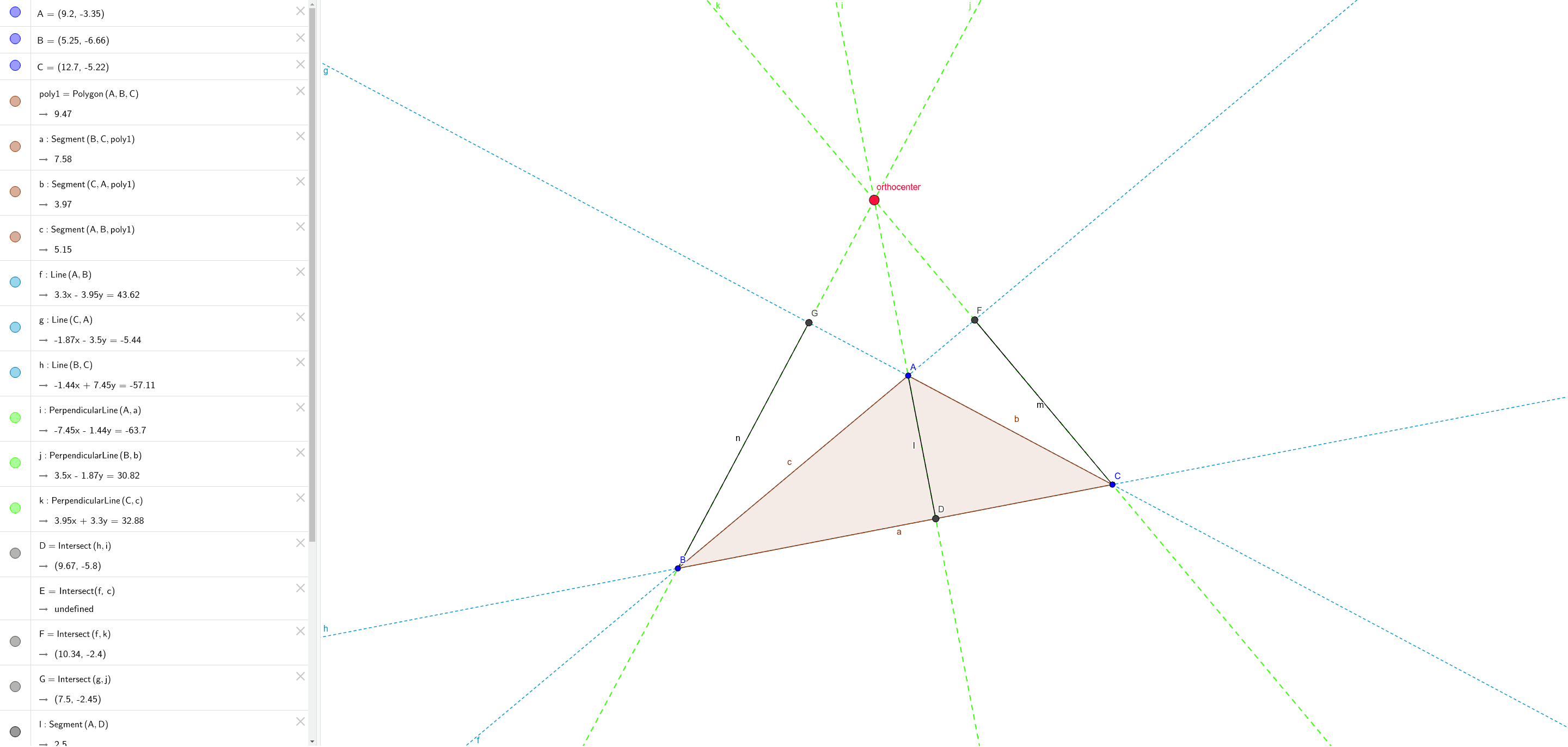
This example demonstrates the geometric properties and construction method of the orthocenter in a triangle. Key math concepts include perpendicular lines, intersection points, circumcircle, and trigonometric functions. The construction uses GeoGebra commands like Polygon, Line, OrthogonalLine, Intersect, and Segment, focusing on core geometric principles. Suitable for high school mathematics education and geometric construction learning.
GeoGebra Commands & Parameters
Polygon(A, B, C) → poly1, c, a, bLine(A, B) → fLine(C, A) → gLine(B, C) → hOrthogonalLine(A, a) → iOrthogonalLine(B, b) → jOrthogonalLine(C, c) → kIntersect(h, i) → DIntersect(f, c) → EIntersect(f, k) → FIntersect(g, j) → GSegment(A, D) → lSegment(F, C) → mSegment(G, B) → nIntersect(k, m) → HIntersect(j, n) → IIntersect(k, m) → JIntersect(i, k) → orthocenter
AI Drawing Prompt Reference
Draw an arbitrary triangle. From each vertex, construct a line perpendicular to the opposite side; these three perpendicular lines intersect at a single point, known as the orthocenter. Then draw the three altitudes of the triangle, which are the segments from each vertex to the foot of the perpendicular on the opposite side. Additionally, construct the circumcircle of the triangle, and mark the lines connecting the orthocenter to certain points on the circumcircle, such as the intersections with the triangle's sides or vertices. The final figure should clearly show the orthocenter, the feet of the altitudes, the circumcircle, and the relationships among the perpendicular lines and altitudes, suitable for high school geometry instruction.
The prompt above was compiled from the original drawing commands and is for reference only.