
Demonstration of Parallelogram and Trapezoid Transformation
Loading the math board and drawing, please wait…
In collections
quadratic function
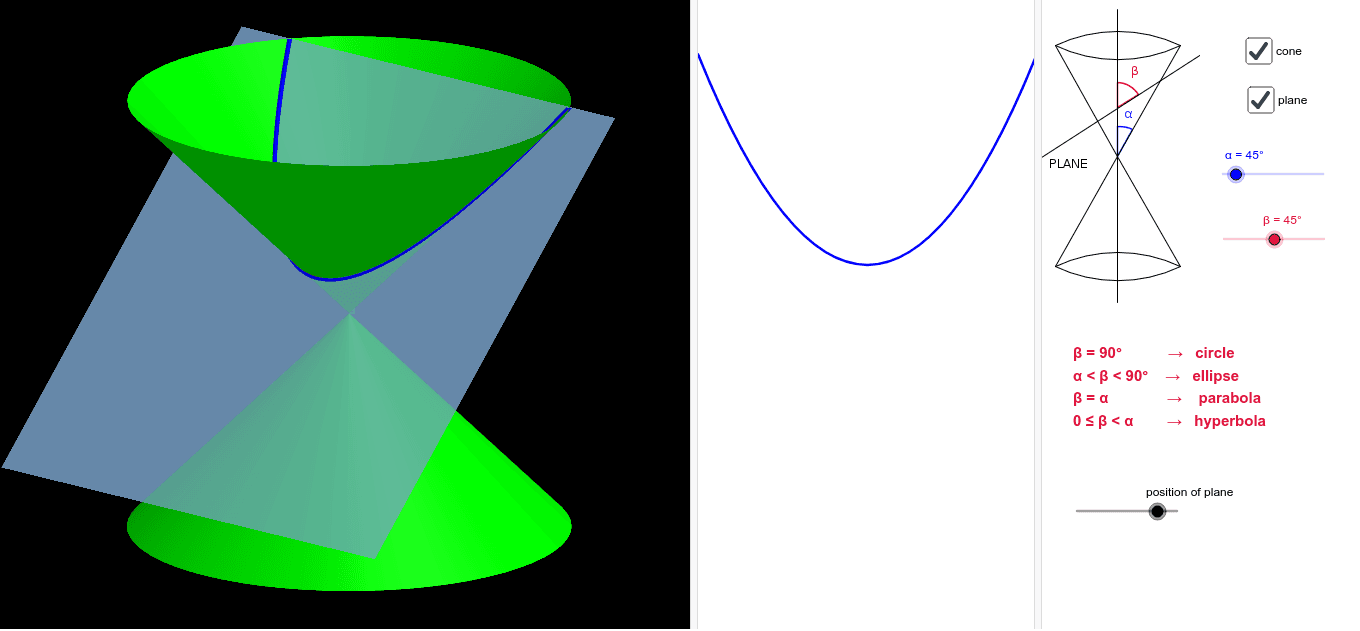
This example demonstrates the transformation of a parallelogram into a trapezoid through translation. Key math concepts include parallelogram, translation, trapezoid, and vector. It utilizes commands like InfiniteCone, Line, Plane, IntersectPath and objects such as α, a, h, A from GeoGebra. Suitable for high school mathematics teaching to understand geometric transformations and properties.
GeoGebra Commands & Parameters
InfiniteCone((0, 0, 0), (0, 0, 1), α) → aLine((0, 0, 0), (0, sin(β), cos(β))) → cLine(A, c) → eLine(A, (1, 0, h)) → bPlane(b, e) → dIntersectPath(d, a) → f
AI Drawing Prompt Reference
Draw a trapezoid formed by transforming a parallelogram. Key objects include a parallelogram, a trapezoid, a vector, and a plane. The construction order is: first draw the parallelogram, then translate it to form the trapezoid, and finally add the vector and plane to show geometric relationships.
The prompt above was compiled from the original drawing commands and is for reference only.