
Demonstrating Equivalent Fractions on Number Lines
Loading the math board and drawing, please wait…
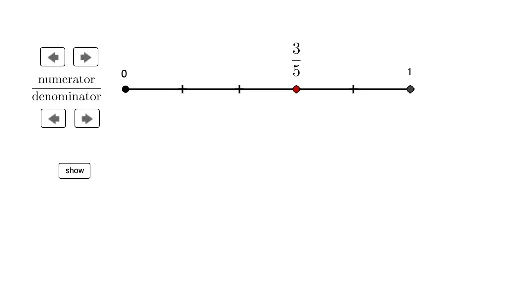
This example dynamically illustrates how to generate equivalent fractions using number lines. It covers core math concepts like fractions, equivalent fractions, and number line representation. Construction highlights include using commands Segment and Sequence to draw number lines and fraction marks, with objects like A, wholelength, gap, B, C, D controlling positions, and variables num1, denom1, denom2 adjusting fraction forms. Objects such as F_1, F_2, multiplier enable equivalent transformations, while dotsdenom1, dotsdenom2 mark fraction ticks. Interactive adjustments are achieved via commands like adjustvert1, adjusthoriz2. Suitable for middle school mathematics education to visually aid understanding of fraction properties and equivalence transformations.
GeoGebra Commands & Parameters
Segment(A, B) → line1Segment(C, D) → line2Sequence(A + ((i * line1 / denom1), 0), i, 1, denom1) → dotsdenom1Sequence(C + ((i * line1 / denom1), 0), i, 1, denom1) → dotsdenom2Sequence(C + (((i * line2)) / denom2, 0), i, 1, denom2) → dotsdenom3
AI Drawing Prompt Reference
Draw two number lines, one from point A to point B, and another from point C to point D. On the first number line, generate equally spaced points based on denominator 1 and mark them with different colors. On the second number line, generate equally spaced points based on denominator 2 and mark them with different colors. By adjusting the values of denominator 1 and denominator 2, dynamically show equivalent fractions.
The prompt above was compiled from the original drawing commands and is for reference only.