
Deltoide
Loading the math board and drawing, please wait…
In collections
geometriadinamica.es
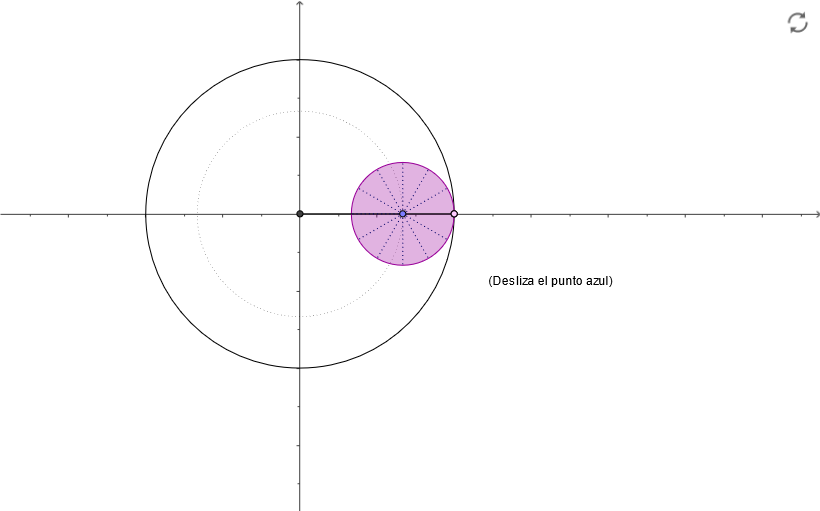
This example demonstrates the construction of a Deltoide, showcasing its unique geometric shape. The underlying math concepts include geometry and geometric construction. The construction involves using GeoGebra commands: Intersect, Point, Circle, Ray, Angle, Rotate, Segment, CircleArc. It is suitable for middle school math and geometry learning.
GeoGebra Commands & Parameters
Intersect(xAxis, yAxis) → A_1Point(xAxis) → B_1Circle(A_1, 0.6666666666666666) → dPoint(d) → ARay(A_1, A) → bAngle(B_1, A_1, A) → αCircle(A_1, B_1) → cIntersect(c, b) → D,Circle(A, 0.3333333333333333) → eRotate(D, (-3 * α), A) → CSegment(A, C) → aCircleArc(A, C, D) → fCircleArc(A_1, B_1, D) → gSegment(A_1, A) → hRotate(A, 29.999999999999996°, A) → A'Rotate(C, 29.999999999999996°, A) → C'Segment(A', C') → iRotate(A', 29.999999999999996°, A) → A''Rotate(C', 29.999999999999996°, A) → C''Segment(A'', C'') → jRotate(A'', 29.999999999999996°, A) → A'''Rotate(C'', 29.999999999999996°, A) → C'''Segment(A''', C''') → kRotate(A''', 29.999999999999996°, A) → A''''Rotate(C''', 29.999999999999996°, A) → C''''Segment(A'''', C'''') → lRotate(A'''', 29.999999999999996°, A) → A'''''Rotate(C'''', 29.999999999999996°, A) → C'''''Segment(A''''', C''''') → mRotate(A''''', 29.999999999999996°, A) → A''''''Rotate(C''''', 29.999999999999996°, A) → C''''''Segment(A'''''', C'''''') → nRotate(A'''''', 29.999999999999996°, A) → A'''''''Rotate(C'''''', 29.999999999999996°, A) → C'''''''Segment(A''''''', C''''''') → pRotate(A''''''', 29.999999999999996°, A) → A''''''''Rotate(C''''''', 29.999999999999996°, A) → C''''''''Segment(A'''''''', C'''''''') → qRotate(A'''''''', 29.999999999999996°, A) → A'''''''''Rotate(C'''''''', 29.999999999999996°, A) → C'''''''''Segment(A''''''''', C''''''''') → sRotate(A''''''''', 29.999999999999996°, A) → A''''''''''Rotate(C''''''''', 29.999999999999996°, A) → C''''''''''Segment(A'''''''''', C'''''''''') → tRotate(A'''''''''', 29.999999999999996°, A) → A'''''''''''Rotate(C'''''''''', 29.999999999999996°, A) → C'''''''''''Segment(A''''''''''', C''''''''''') → a_1Rotate(D, (-3 * α), A) → B
AI Drawing Prompt Reference
Draw a symmetric geometric shape composed of arcs and line segments. Start with a small circle centered at the origin, pick a point on it as a vertex, and draw a ray from the origin through that vertex. Then draw a larger circle centered at the origin with radius to a point on the x-axis, and intersect the ray with this circle. With the vertex as center, draw a small circle, and rotate the intersection point around the vertex by three times the angle between the ray and the x-axis to get another key point. Connect the vertex to this rotated point to form a side, and draw an arc from the vertex through the rotated point to the intersection on the large circle. Finally, rotate this side repeatedly around the vertex in steps of about 30 degrees, creating a series of radiating segments that outline a kite-like curve.
The prompt above was compiled from the original drawing commands and is for reference only.