
Cylinder Volume Calculation Demo by bscott01
Loading the math board and drawing, please wait…
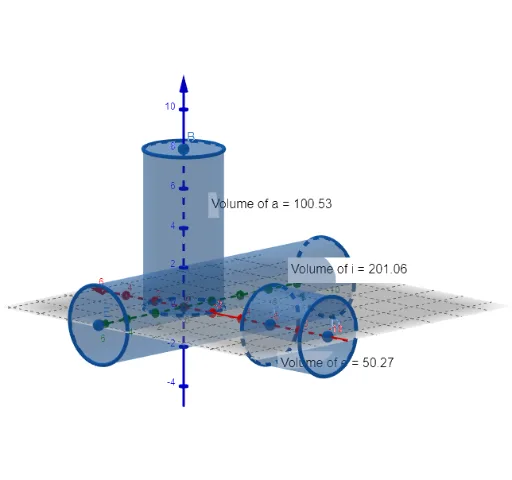
This example demonstrates how to dynamically calculate and visualize cylinder volumes using GeoGebra, involving core math concepts like cylinder volume formulas, sequences and series, trigonometric functions, coordinate geometry, rectangles, and numerical computations. Key GeoGebra commands and objects used in the construction include Point, Intersect, Cylinder, Volume, and PointIn. Suitable for high school and above learners for understanding volume calculations and parametric animations in solid geometry.
GeoGebra Commands & Parameters
Point(zAxis) → PointzAxisIntersect(yAxis, zAxis) → APoint(zAxis) → BCylinder(A, B, 2) → a, c, d, bVolume(a) → volumeaPointIn(b) → PointbPoint(xAxis) → CPoint(xAxis) → DCylinder(C, D, 2) → e, f, g, hVolume(e) → volumeePointIn(h) → PointhPoint(yAxis) → EPoint(yAxis) → FCylinder(E, F, 2) → i, k, p, jVolume(i) → volumeiPointIn(j) → Pointj
AI Drawing Prompt Reference
Draw a cylinder with a radius of 2 and a height controlled by a slider. First, create two points A and B on the z-axis, then use A and B as the base center and top point to draw a cylinder a and display its volume volumea. Next, place a point on b, then create two points C and D on the x-axis, use C and D as the base center and top point to draw another cylinder e and display its volume volumee. Finally, place a point on j, then create two points E and F on the y-axis, use E and F as the base center and top point to draw a third cylinder i and display its volume volumei.
The prompt above was compiled from the original drawing commands and is for reference only.