
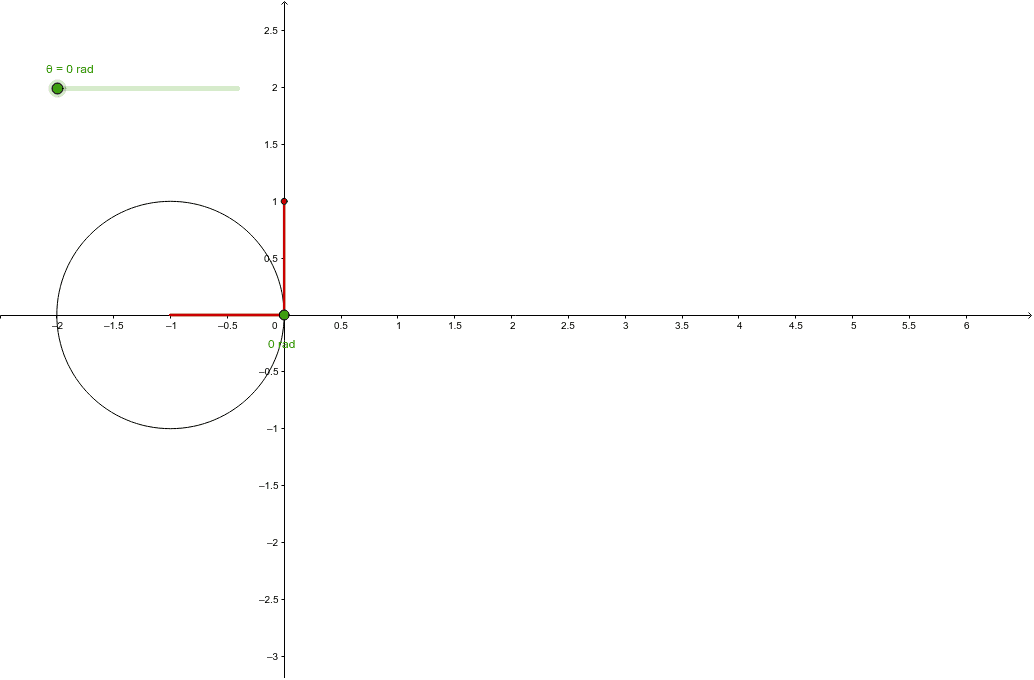
Cosine Function Trajectory on Unit Circle
Loading the math board and drawing, please wait…
In collections
The Unit Circle and Trigonometric Graphs
This example demonstrates the trajectory of the cosine function on the unit circle. Core mathematical concepts include trigonometry and the unit circle. Using GeoGebra commands such as Circle, Intersect, Rotate, Angle, and Segment, the point A on the unit circle changes position as the angle θ varies, forming the trajectory of the cosine function. Suitable for high school mathematics education and learning.
GeoGebra Commands & Parameters
Circle(O, 1) → cIntersect(c, yAxis, 1) → BRotate(B, θ, O) → AAngle(B, O, A) → αSegment(O, A) → bSegment(O, C) → fSegment(C, A) → aSegment(E, D) → d
AI Drawing Prompt Reference
Draw a unit circle centered at the origin. Mark a point where the circle meets the positive y-axis, then rotate this point around the center by a variable angle to obtain a moving point on the circle. Connect the center to this moving point with a radius segment. Also, draw a horizontal reference line outside the circle, and connect a fixed point on this line to the moving point and to the center, forming a right triangle. Label the rotation angle, and show the horizontal projection trajectory of the moving point to illustrate how the cosine function changes with the angle.
The prompt above was compiled from the original drawing commands and is for reference only.