
Convert Decimal Numbers to Different Bases
Loading the math board and drawing, please wait…
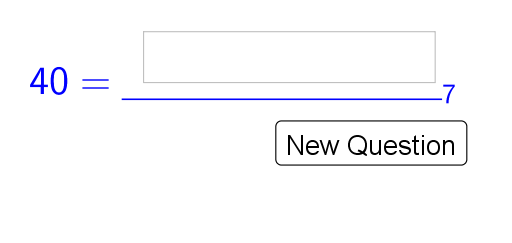
This example demonstrates how to convert decimal numbers to different bases. The key mathematical concept involved is base conversion. Using GeoGebra commands such as Random, Textfield, and ToBase, an interactive practice tool is constructed. Suitable for middle school and above students for learning and practice.
GeoGebra Commands & Parameters
Random(2, 1000) → rRandom(2, 9) → bTextfield(blanc) → AnswerToBase(r, b) → correctanswer
AI Drawing Prompt Reference
Create an interactive practice interface for converting decimal numbers to different bases (from binary to nonary). Display a randomly generated decimal number (between 2 and 1000) in the center, with the target base (randomly chosen from 2 to 9) clearly labeled next to it. Below, provide a blank input field for the user to type the converted result. Place the correct answer in a hidden or hint area, not visible initially. Keep the layout clean and student-friendly, emphasizing the number and input region.
The prompt above was compiled from the original drawing commands and is for reference only.