
Constructing Polygons: From Segments to Incircle
Loading the math board and drawing, please wait…
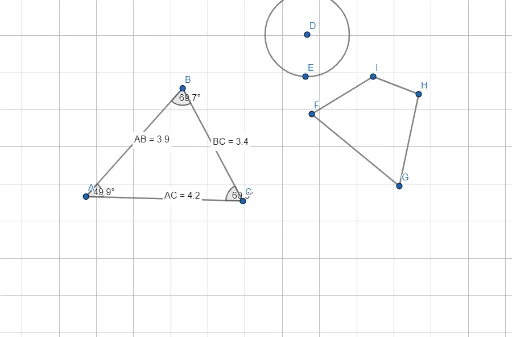
This GeoGebra example demonstrates the step-by-step construction of a polygon using fundamental geometric tools, culminating in the creation of its incircle. The core mathematical concepts include polygon properties, segment length measurement, angle determination, midpoint definition, and the tangency condition of an incircle with all sides of the polygon. The construction employs GeoGebra commands such as Segment, Distance, Midpoint, Angle, and Circle, involving objects labeled A, B, C, D, E, F, G, H, I, J, along with distance variables distanceAB, distanceBC, distanceAC and their text labels TextAB, TextBC, TextAC, as well as angles α, β, γ. This example is suitable for middle and high school geometry classes, helping students understand rigorous polygon construction procedures and the geometric relationship between a polygon and its incircle. It also serves as a practical tutorial for learning basic GeoGebra commands.
GeoGebra Commands & Parameters
Segment(A, B) → fDistance(A, B) → distanceABMidpoint(A, B) →Segment(C, B) → gAngle(A, B, C) → αSegment(A, C) → hAngle(B, A, C) → βAngle(B, C, A) → γDistance(B, C) → distanceBCMidpoint(B, C) →Distance(A, C) → distanceACMidpoint(A, C) →Circle(D, E) → cSegment(F, G) → iSegment(G, H) → jSegment(I, H) → kSegment(F, I) → l