
Constructing Perpendicular Lines in the Plane with Angle Verification
Loading the math board and drawing, please wait…
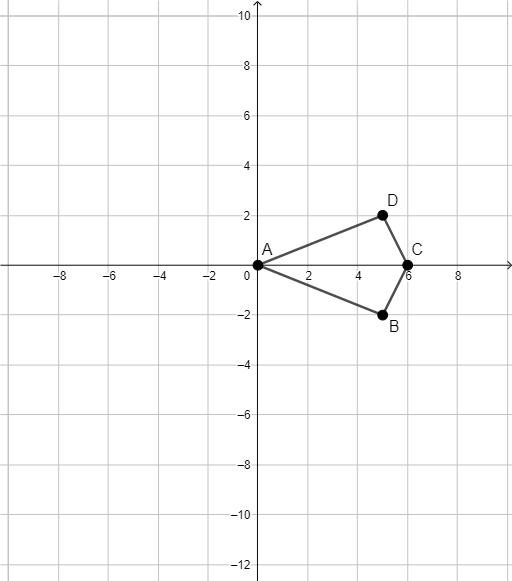
This GeoGebra example demonstrates how to construct a perpendicular line in the plane relative to given geometric elements, and how to visually verify the perpendicular condition using angle relationships. The key math concepts include perpendicular lines and the criterion for perpendicularity, angle concepts in planar geometry, and geometric constraints that make the construction stable for inspection. Construction focuses on creating foundational segments using GeoGebra’s geometric tools: the provided summary indicates using the “Segment” command to build segment objects corresponding to A, B, C, D and additional constructed elements f, g, h, i. These segments form the reference directions, enabling students to check whether the resulting angles represent right angles. Suitable for middle and high school geometry lessons, classroom demonstrations, and interactive practice on perpendicular constructions and angle properties.
GeoGebra Commands & Parameters
Segment(D, A) → fSegment(A, B) → gSegment(B, C) → hSegment(C, D) → i
AI Drawing Prompt Reference
Draw a quadrilateral in the plane with four vertices connected in order to form a closed shape. From one vertex, construct a perpendicular line to the opposite side, marking the intersection point. Then, label the two angles formed on either side of the perpendicular line and verify that both are right angles. The figure should clearly show the segments and angle markers to demonstrate the perpendicular relationship.
The prompt above was compiled from the original drawing commands and is for reference only.