
Constructing an Ellipse with a String: A Geometric View of Conics
Loading the math board and drawing, please wait…
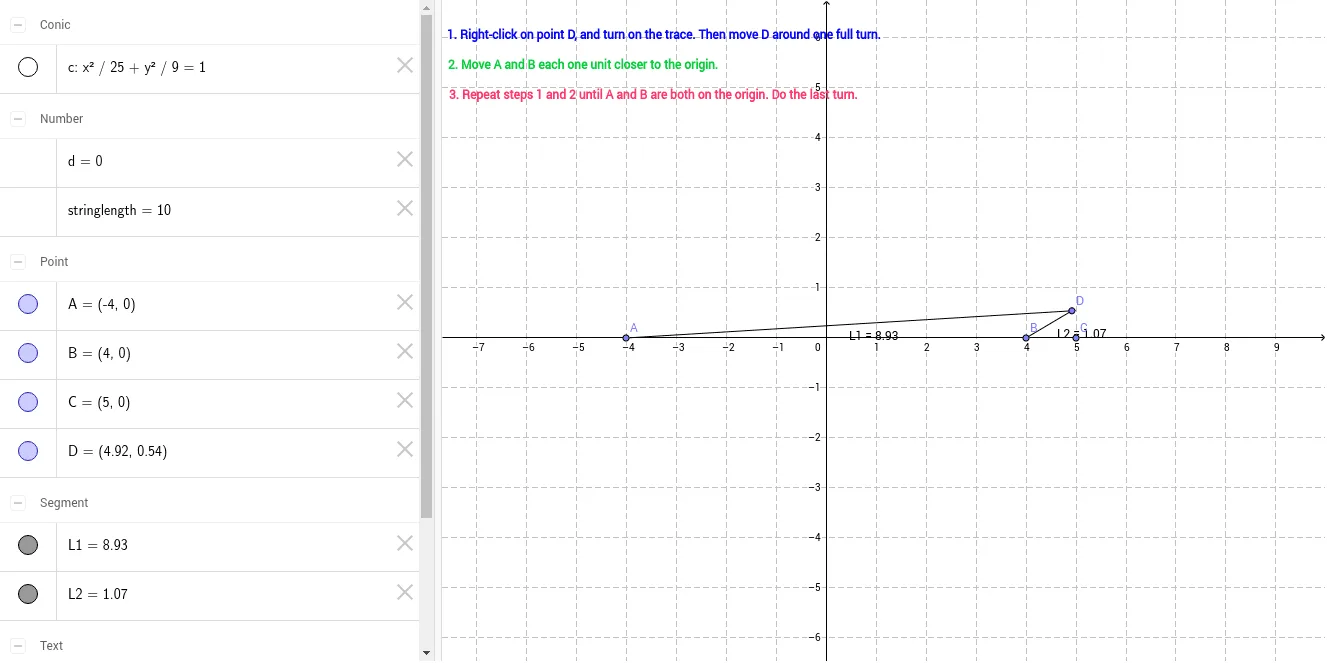
This example demonstrates how an ellipse can be explored and constructed using a “string” (constant-length constraint), highlighting the close relationship between circles and ellipses as conic sections. It visualizes the defining property of an ellipse: the locus of points whose distances to two fixed points (foci) add up to a constant. Key concepts include conic sections, the geometric definition of an ellipse, and the way fixed-length constraints translate into preserved distance relationships. Construction details follow from the GeoGebra command set: Point to create the required fixed and moving points (e.g., A, B, C, D, c), Ellipse to generate the curve under the specified constraint, Segment to draw connecting reference segments (e.g., L1, L2, d), and Distance to compute and enforce the relevant distances (including the constant stringlength). Optional text labels (text1–text3) can be used to annotate parameters and constant values. Suitable for middle school to early college learners and for classroom demonstrations on geometric construction and conics.
GeoGebra Commands & Parameters
Point(xAxis) → APoint(xAxis) → BPoint(xAxis) → CEllipse(A, B, C) → cPoint(c) → DSegment(A, D) → L1Segment(B, D) → L2Distance(L2, L1) → d
AI Drawing Prompt Reference
Draw an ellipse by connecting two foci A and B with a fixed-length line segment, then take a point C on the ellipse. Draw line segments L1 from A to C and L2 from B to C. Ensure the sum of the lengths of L1 and L2 is a constant.
The prompt above was compiled from the original drawing commands and is for reference only.