
Construct a Different Triangle
Loading the math board and drawing, please wait…
In collections
Triangle Congruence
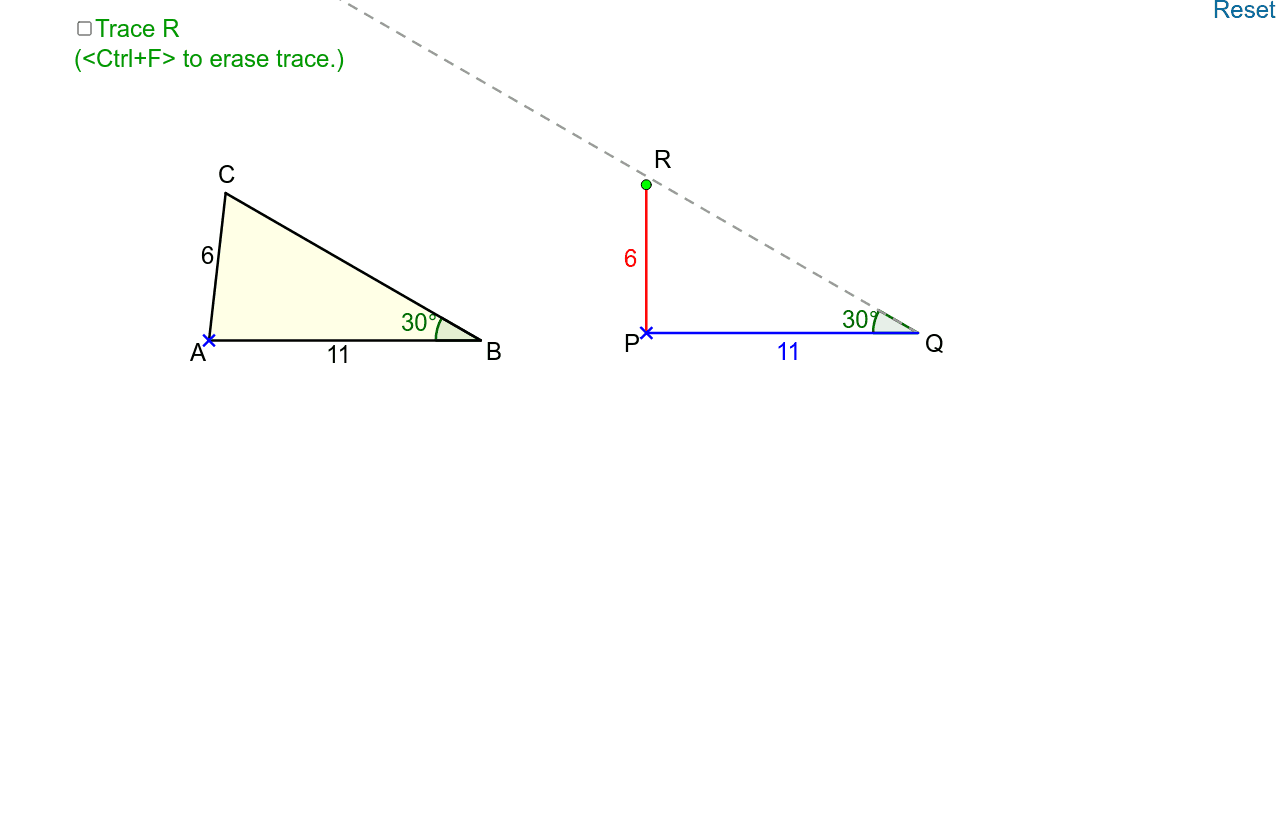
This example demonstrates triangle construction under the SSA condition. Key math concepts include triangle congruence and trigonometric functions. It uses commands like Point, Rotate, Angle, Intersect, Polygon, Segment, Ray, If. Suitable for high school math education and learning.
GeoGebra Commands & Parameters
Point(Semicircle[(x(H) - 4, y(H)), (x(H) + 4, y(H))]) → JRotate(A, 330°, B) → A'Angle(A', B, A) → αIntersect(Circle[A, 6], Line[B, A']) → C_1, CPolygon(A, B, C) → poly1, c, a, bPoint(Ray[D, (x(D) + 1, y(D))]) → ESegment(D, E) → dPoint(Ray[F, (x(F) + 1, y(F))]) → GSegment(F, G) → eAngle(J, H, I) → βRotate(P, (-γ), Q) → P'Angle(P', Q, P) → δPoint(Circle[P, d]) → RRotate(I, (-γ), H) → I'Angle(I', H, I) → εSegment(I, H) → gSegment(J, H) → hRay(Q, P') → iIntersect(OrthogonalLine[R, i], i) → KPolygon(P, Q, R) → poly2, r, p, qIf(Distance[R, K] < 0.01, true, false) → on
AI Drawing Prompt Reference
Construct a triangle ABC with angle A being 330 degrees and side AB and AC both having a length of 6. Start by taking point A on a circle, then rotate point A to get A', and calculate the angle α between A'B and A. Next, find point C on circle A such that AC is 6 units long, and connect points A, B, and C to form triangle ABC. Then, take point E on ray DE and connect D and E, and take point G on ray F and connect F and G. Calculate the angle β between JH, rotate point P to get P', and calculate the angle δ between P'Q and P. Take point R on circle P, rotate point I to get I', and calculate the angle ε between I'H, connect I and H, and connect J and H. Finally, take point K on ray QP' such that the distance between R and K is less than 0.01, and connect P, Q, and R to form triangle PQR.
The prompt above was compiled from the original drawing commands and is for reference only.