
Conic Sections: Plane Intersecting Double Cone
Loading the math board and drawing, please wait…
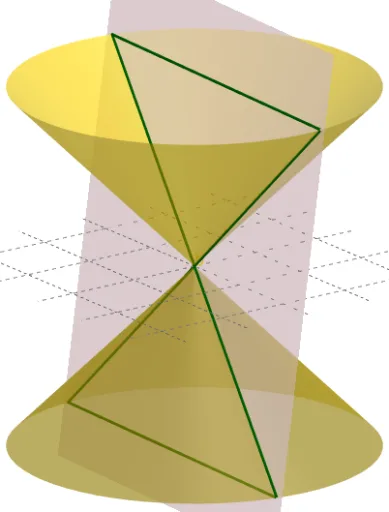
This example demonstrates the geometric construction of conic sections formed by intersecting a plane with a double cone. The key mathematical concepts include cone geometry, intersection of planes with surfaces, and properties of quadratic curves. Construction involves using GeoGebra commands like Cone, Intersect, Mirror, and Translate to create the double cone and intersecting plane, then extracting intersection points with IntersectPath. Suitable for high school or undergraduate students learning analytic geometry and solid geometry.
GeoGebra Commands & Parameters
Point(zAxis) → ACircle(A, 5, zAxis) → cIntersect(xAxis, zAxis) → BCone(c, (-z(A))) → a, d, bMirror(b, xOyPlane) → b'Translate(Rotate[Rotate[Plane[(0, 0, 0), (1, 0, 0), (0, 1, 0)], tilt, xAxis], turn, zAxis], Vector[(0, move, 0)]) → eIntersectPath(e, b) → fCorner(f) → C, D, E, FIntersectPath(e, b') → g
AI Drawing Prompt Reference
Draw a vertical double cone with its apex on the vertical axis and a horizontal circular base. Intersect this double cone with an inclined plane that can be rotated around the vertical axis and translated vertically. Generate two intersection curves where the plane cuts the upper and lower cones, each bounded by four key points. Show the geometric construction of conic sections formed by a plane cutting a double cone.
The prompt above was compiled from the original drawing commands and is for reference only.