
Congruent Triangles, Part 1
Loading the math board and drawing, please wait…
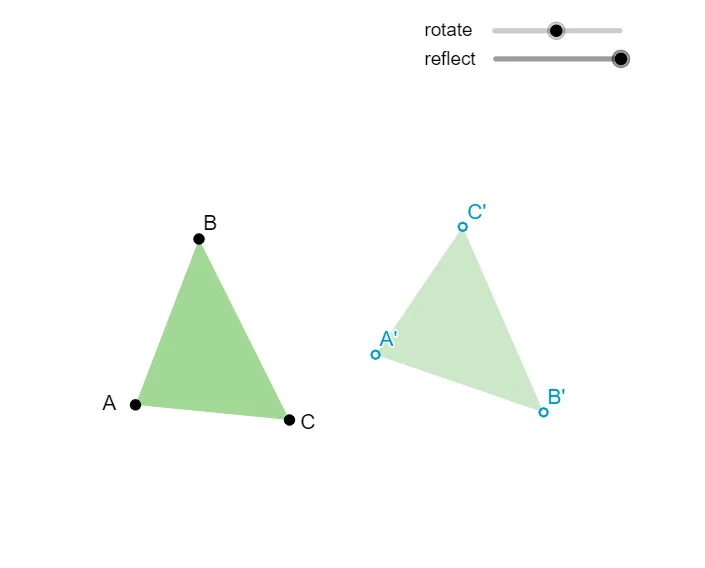
This example demonstrates the concept of congruent triangles. By constructing triangles and their properties, students can understand the methods to determine congruent triangles. Commands used include Polygon, Circle, Intersect, Angle, Point, Rotate, Ray, Distance, Center, Line, Mirror, suitable for middle school geometry.
GeoGebra Commands & Parameters
Polygon(A, B, C) → poly1, c, a, bCircle(A, B) → dCircle(A, C) → eIntersect(d, f, 2) → EAngle(E, A, B) → αPoint(g) → FRotate(F, α, A_1) → F'Angle(F, A_1, F') → βRay(A_1, F') → hDistance(A, B) → distanceABCircle(A_1, distanceAB) → kIntersect(k, h, 1) → B_1Angle(C, A, E) → γRotate(F, (-γ), A_1) → F'_1Angle(F'_1, A_1, F) → δRay(A_1, F'_1) → iDistance(A, C) → distanceACCircle(A_1, distanceAC) → pIntersect(p, i, 1) → C_1Polygon(A_1, B_1, C_1) → poly2, h_1, d_1, g_1Circle(B_1, C_1, A_1) → qCenter(q) → DRotate(A_1, rotate, D) → A'Rotate(B_1, rotate, D) → B'Rotate(C_1, rotate, D) → C'Polygon(A', B', C') → poly2', i_1, g_2, h_2Line(B', C') → jMirror(A', j) → A''Mirror(B', j) → B''Mirror(C', j) → C''Polygon(A'', B'', C'') → poly2'', c'', a'', b''
AI Drawing Prompt Reference
Start with a point A and construct triangle ABC. Draw circles centered at A passing through B and C, and use their intersection point E to define the angle at A (angle EAB), which serves as the rotation angle. Choose a point F and rotate it about A by that angle to obtain F'. Using the resulting direction ray from A_1 through F', construct circles with radii AB and AC and intersect them with the corresponding rays to find points B_1 and C_1, forming triangle A_1B_1C_1. Then take the center of the circle through B_1, C_1, and A_1 as the rotation center and rotate A_1, B_1, C_1 to get A', B', C'. Finally draw the line through B' and C' and reflect A', B', C' across this line to obtain the last mirrored triangle.
The prompt above was compiled from the original drawing commands and is for reference only.